Blog

  • Google AI Search: Why Clicks May Fall While Impressions Rise

    Google AI Search: Why Clicks May Fall While Impressions Rise

    Your Google Search Console report shows more impressions than last month, but organic clicks are down. The pages still appear in search results, so what changed?

    One possibility is that users are seeing more information directly in Google Search before deciding whether to visit a website.

    Google’s AI Overviews and AI Mode provide AI-generated answers with links to supporting sources. According to Google’s official Search Console documentation, impressions and clicks in these features follow defined reporting rules. An AI Overview can occupy one position in search results, with its links assigned that position.

    This matters because traditional SEO metrics can become harder to interpret when the search experience changes.

    A rise in impressions alongside falling clicks does not prove that AI Overviews caused the decline. It gives you a reason to investigate the queries, pages and search features involved.

    What do impressions and clicks mean in Google Search Console?

    An impression records when your site appears in a qualifying search result. A click records when a user selects a result that takes them to your website.

    Click-through rate, or CTR, is the share of impressions that produce clicks.

    For example, if a page receives 1,000 impressions and 50 clicks, its CTR is 5%.

    If impressions rise to 1,500 while clicks remain at 50, CTR falls to about 3.3%. The page is appearing more often, but the additional visibility is not producing more visits.

    That can happen for several reasons. Your page may appear for broader queries, move to a lower position, face stronger competition or appear alongside search features that answer part of the user’s question.

    The figures alone do not tell you which explanation is correct.

    Why can Google AI Search affect organic CTR?

    Users may get part of the answer on the results page

    A person searching for a simple definition may get enough information from an AI-generated answer to decide not to click through to another website.

    For more complex questions, the user may still visit a source to check details, compare options or complete a task.

    The impact depends on the query. A search for a quick fact has a different purpose from a search for a specific product, service or technical solution.

    Do not assume that every query with an AI Overview will lose clicks. Check your own data before deciding how to respond.

    Your page may appear for more queries

    An increase in impressions can also happen when a page starts appearing for additional search terms.

    Some of those queries may be closely related to the page’s purpose. Others may be broader or less likely to generate a visit.

    Open Search Console and compare query data for the periods before and after the change. Look at which queries gained impressions and whether their clicks, positions, and CTR changed.

    This helps you distinguish broader visibility from a decline affecting your most valuable searches.

    Average position can hide important changes

    Search Console’s average position is not a fixed ranking for every user and query. It aggregates positions across the impressions included in the report.

    A page may gain impressions for additional queries while losing ground on its most valuable terms. The overall average can hide that difference.

    Review important queries separately. Compare the pages and search terms that generate leads or sales rather than relying on one site-wide position figure.

    How to diagnose falling clicks in Search Console

    1. Compare equivalent periods

    Start with a comparison that accounts for seasonality where possible. A retail site may have very different search behaviour during a holiday period than during a quieter month.

    Use the Performance report to compare clicks, impressions, CTR, and average position. Keep the search type consistent when examining changes.

    Avoid drawing conclusions from a few days of data unless there is a specific event to investigate.

    2. Find the pages losing clicks

    Open the Pages view and identify URLs with a meaningful decline in clicks.

    Then examine the queries associated with each page. Check whether impressions increased, whether CTR fell, and whether the average position changed.

    This reveals whether the problem affects a handful of important pages or a wider section of the website.

    3. Check the search feature and query intent

    Google’s Generative AI performance report provides impressions from AI Overviews and AI Mode for eligible websites.

    Use it alongside the standard Performance report to understand where your site appears in Google’s generative AI search features.

    If the report is not available, Google says a site may not have enough impressions in those features. Do not interpret a missing report as proof that your site never appears in AI search.

    Also check whether the affected queries are informational, commercial, or transactional. A page that answers a basic question may need a different approach from a product page designed to help someone buy.

    4. Check for technical and content problems

    Before blaming AI search, check the usual causes of traffic loss.

    Review indexing, canonical tags, page availability, internal links, and recent website changes. Look for outdated content, broken pages, or changes to titles that may affect how users understand the result.

    Check competitors too. A rival may have published a better comparison, updated its product information, or improved the page that now appears above yours.

    A change in CTR is a symptom, not a diagnosis.

    Should you rewrite pages with falling CTR?

    Not automatically.

    If a page is still relevant and its impressions are growing, rewriting it without understanding the query mix may make things worse.

    Start by checking what searchers need. If the page answers the query clearly but users can get the same information directly from an AI answer, consider what additional value the page can offer.

    That may mean a detailed comparison, a calculator, original data, a worked example or information that cannot be reduced to a short summary.

    For a product page, it may mean clearer specifications, compatibility details, pricing or delivery information.

    For an informational article, it may mean practical instructions, original research or a more useful explanation of a difficult point.

    Google’s guidance on AI features in Search continues to point website owners towards established SEO practices. There is no separate shortcut that guarantees inclusion in an AI-generated answer.

    How to report falling clicks to management

    Explain what changed, which pages were affected and what you have verified.

    Separate measured facts from possible explanations. For example, you can report that impressions rose, clicks fell, and CTR declined for a group of queries. If your data does not establish that AI Overviews caused the decline, say so.

    Then outline the next steps. These may include examining AI search impressions, reviewing query intent, checking technical issues, and improving pages that no longer offer enough value.

    The objective is to understand the source of the decline before changing the content strategy.
  • AI Brand Mentions: Why Weekly Tracking Can Mislead SEO Teams

    AI Brand Mentions: Why Weekly Tracking Can Mislead SEO Teams

    Your brand appears in an AI answer on Monday. You check again on Tuesday, and a competitor has taken its place.

    Does that mean your AI visibility has dropped? Not necessarily. The answer may have changed because the prompt, source material or platform response changed. A single observation cannot tell you whether your brand has gained or lost meaningful visibility.

    That is why weekly AI mention tracking needs a clear method. Counting appearances without checking the context can produce reports that look useful but lead to poor decisions.

    The Q3 2026 Quarterly Search Report from Victorious offers a useful example. Its research examined 161 brands across five industries and analysed about 16,500 AI responses across nine platforms. The report found that brands cited during research questions were more likely to be named in later consideration questions.

    The takeaway is not to stop tracking mentions. It is to measure the right things and avoid treating a small sample as a complete picture of AI visibility.

    What is an AI brand mention?

    An AI brand mention occurs when an AI-generated answer names a company, product or service.

    A citation is different. It points to a source that supports or informs the answer. A brand may be mentioned without its website being cited, or its website may be cited without the brand receiving a prominent recommendation.

    This distinction matters for SEO reporting.

    If your goal is brand awareness, mentions may be useful. If your goal is website visits, citations and referral clicks may be more relevant. If you want to influence buying decisions, you need to examine whether your brand appears in comparisons and recommendations.

    One combined score can hide these differences.

    Why weekly AI visibility reports can mislead

    AI answers change with the question

    Compare these two prompts:

    “Explain what customer relationship management software does.”

    “Which CRM is best for a small sales team that needs simple reporting?”

    The first asks for a general explanation. The second asks for a recommendation. A brand may appear in one answer and not the other because the user has a different need.

    A tracking process that changes prompts every week cannot reliably tell whether visibility has improved.

    Build a fixed set of questions based on your audience and buying journey. Keep the wording consistent when measuring changes over time.

    You can add new questions as customer needs change, but track those separately from the original set.

    Different platforms produce different answers

    AI platforms do not all use the same retrieval systems, data sources or response formats.

    A brand might appear in Google AI Overviews but not in a response from ChatGPT. That does not automatically mean one platform has a more accurate view of the market.

    Choose the platforms that matter to your customers. Track them separately before creating an overall view.

    Also record the date and conditions of each test. This helps explain differences between observations.

    One appearance is not lasting visibility

    A brand that appears once in an answer has achieved a single observed mention. That is not the same as consistent visibility.

    The latest Victorious Q3 report found that many brands appeared on only a small number of the tested AI platforms. Its findings suggest that marketers should pay attention to consistency across questions and platforms rather than celebrating a single appearance.

    For your own reporting, measure how often the brand appears across a stable set of relevant prompts. Track whether it appears as a source, a recommendation or a passing example.

    Do not assume that the results of one company’s research will apply to every industry. Use the study as context, then measure your own market.

    What should SEO teams track instead?

    1. Mention rate across a fixed prompt set

    Create a set of realistic prompts that cover your product category, audience problems and buying decisions.

    Record how many answers mention your brand and how many do not. Keep the number of prompts, platforms and testing conditions consistent when comparing periods.

    A simple mention rate can help you spot changes, but it is not a ranking position. AI answers do not provide a stable, universal position system that works like traditional search rankings.

    2. Citation rate and source quality

    Track whether your website is cited when your brand or product category appears in an answer.

    Check which pages are cited and whether they support the answer accurately. A citation to an outdated pricing page may be less useful than one to a current product comparison or technical guide.

    Also review third-party sources that appear in answers. Industry publications, review sites and relevant partner websites may help explain why competitors appear more often.

    3. Context and buying intent

    Record the type of prompt that produced each mention.

    An informational prompt may indicate early research. A comparison prompt may signal that the user is assessing options. A recommendation prompt may be closer to a purchase decision.

    These categories are not perfect measures of intent, but they provide a useful structure for reporting.

    Review whether the brand is described accurately. A mention that presents an outdated product or incorrect feature can create a problem rather than a benefit.

    4. Referral traffic and conversions

    Use GA4 to identify visits from AI platforms where referral data is available. Review landing pages, engagement and conversions from those sessions.

    Keep referral traffic separate from observed mentions. An AI answer can mention a brand without generating a visit.

    Likewise, do not assume every direct visit was caused by AI. A person may have learned about the company through a colleague, an advert or another source.

    5. Traditional organic search performance

    Continue tracking Search Console impressions, clicks and queries.

    AI visibility should not replace the rest of your SEO reporting. Organic performance helps you understand whether the website is reaching people through standard search results, while AI tracking adds another view of discovery.

    Google’s official AI search optimisation guidance recommends using Search Console’s generative AI performance report to understand visibility in Google’s AI search features.

    That report covers AI Overviews and AI Mode. It does not measure every AI platform, so separate tools may be needed for broader tracking.

    How often should you track AI mentions?

    Weekly tracking can be useful when you need to monitor a fast-changing category, investigate a major launch or check whether a specific content change has affected visibility.

    For routine reporting, a monthly review may offer a more stable view. You can still run tests more frequently when there is a clear reason.

    The right frequency depends on how much data you collect and how quickly the market changes.

    Avoid treating every weekly fluctuation as a problem that needs immediate action. Look for patterns across several reporting periods and check whether changes appear across multiple prompts and platforms.

    How to build a useful AI visibility report

    Keep the report focused on decisions.

    Show the mention rate, citation rate, important prompts, platforms tested and relevant changes from the previous period. Include examples of answers where the brand appeared or was missing.

    Connect those findings with content updates, third-party coverage, branded search trends and referral conversions where possible.

    If visibility drops, investigate the affected prompts. Check whether competitors are cited more often, whether your supporting pages are outdated or whether the test conditions changed.

    Then choose a specific action. That might mean updating a comparison page, improving product information or creating a better answer to a question customers repeatedly ask.

    The point of AI visibility tracking is not to report every fluctuation. It is to understand where your brand is being considered, where it is missing and what evidence supports the next SEO decision.

  • Walmart’s AI Shopping Shift: Is Your Product Data Ready Yet?

    Walmart’s AI Shopping Shift: Is Your Product Data Ready Yet?

    Walmart announced a new way for AI agents to shop on October 21, 2026. Its official announcement introduced Agent Profiles and the Walmart Agent Gateway, designed to let customers use supported AI agents to search for products and make purchases.

    The move matters to online retailers beyond Walmart. Product discovery is expanding from search boxes and category pages to AI tools that interpret what shoppers want, compare options and help complete transactions.

    For merchants, that raises a practical question. Can an AI shopping tool understand your products well enough to recommend the right item?

    A product page may look good to a human shopper and still lack clear information about size, compatibility, materials or stock. Those gaps can make it harder to match the product with a specific customer need.

    What Walmart’s AI shopping announcement changes

    Walmart’s new system is designed to let supported agents connect with its shopping systems through an agent gateway. The company also announced Agent Profiles that give customers more control over how agents shop on their behalf.

    Customers will be able to set spending limits or require approval for purchases. Walmart says agents will not receive payment card details and must follow rules about access and customer intent.

    This is not simply a new chatbot on a retail website. It is part of a shift towards software that can take actions for a shopper, rather than only answering product questions.

    For other retailers, the lesson is not to copy Walmart’s setup. It is to prepare product information and buying processes for shopping experiences where software may handle more of the research.

    Why product data matters for AI shopping

    Imagine a shopper asks an AI assistant to find a laptop for video editing, with a particular memory capacity, a lightweight design, and a fixed budget.

    The assistant needs to compare those requirements with the details available for each product. If one store clearly lists memory, processor, weight, price, and stock, while another provides only a short marketing description, the first product is easier to assess.

    That does not guarantee the first store will be recommended. AI platforms use different systems and sources. But complete, accurate product information gives them a stronger basis for understanding what a product offers.

    Google’s Merchant Center product data specification sets out requirements for product titles, descriptions, prices and availability. These are useful foundations for any retailer that wants consistent product information across its commerce channels.

    5 product data problems to fix before AI shopping expands

    1. Product titles that leave out important details

    A title such as “Wireless Headphones” tells shoppers very little.

    A more useful title identifies the brand, model and key distinguishing feature when relevant. The exact format depends on the product and the channel’s requirements.

    Avoid stuffing titles with repeated search terms. Use the words that help a shopper distinguish one item from another.

    Check that titles in your product feed match the product actually sold on the landing page. If the product has several variants, make the differences clear.

    2. Descriptions that sound good but explain little

    Phrases such as “premium quality” and “designed for modern living” do not help a shopping system compare products.

    Give specific details. Explain materials, dimensions, compatibility, included accessories, care requirements, and limitations where relevant.

    For a skincare product, that might include its size, intended use, ingredients, and directions. For a computer accessory, it could include supported devices, connection type, and operating requirements.

    Do not invent attributes to make a product appear more competitive. Incorrect information can lead to poor recommendations, disappointed customers, and avoidable returns.

    3. Prices and stock that do not match

    A product feed can become outdated when prices or inventory change frequently.

    Check that the price and availability in your product feed match the landing page and checkout. Review how sale prices, regional pricing and product variants are handled.

    Google’s Merchant Center documentation specifically requires submitted availability to match the product page and relevant structured data.

    For AI-assisted shopping, the same principle matters at the point of purchase. A recommendation is less useful when the item is unavailable or the final price differs from what the shopper expected.

    4. Missing product variants and compatibility details

    A product may be available in several sizes, colours or configurations. If those details are unclear, a shopper or agent may select the wrong version.

    Review variant identifiers, product options and compatibility information. Make sure a replacement part is linked to the right vehicle or device, and that clothing sizes are clearly described.

    For products where fit or compatibility matters, explain how customers can check whether the item suits their needs.

    This can also reduce support requests and returns.

    5. Unclear delivery and return information

    Price is not the only factor in a buying decision.

    A shopper may need an item before a particular date or may want to know whether returns are accepted. Make shipping regions, delivery estimates, fees, and return conditions easy to find.

    Keep those details accurate across your website and connected shopping channels.

    Do not promise a delivery date unless your fulfilment process can support it. If a product has restrictions, explain them before the customer reaches checkout.

    How to prepare a Shopify or other ecommerce store

    Start with the products that generate the most sales, attract the most searches, or have the greatest seasonal demand.

    Review their product pages and feeds. Check titles, descriptions, attributes, variants, prices, stock, and delivery information. Fix conflicting details before adding new integrations.

    Next, review the channels your store already supports. Confirm what information each channel accepts, how product updates are handled, and whether your products are eligible for any AI shopping features.

    Do not assume that connecting one platform automatically makes your entire catalogue available to every AI assistant. Access, eligibility, and checkout options vary.

    If you use Shopify, check the current settings and supported integrations in your admin before building a campaign around a specific AI shopping channel.

    How to measure the impact of AI shopping

    Track product views, add-to-cart activity, purchases, average order value, and returns. Where a platform provides referral or order attribution data, record it separately from other traffic sources.

    Compare performance before and after a change. Review whether the products with improved data receive more relevant visits or convert more effectively.

    Be careful with conclusions. A rise in sales during a seasonal promotion does not prove that AI shopping caused the increase.

    For a smaller retailer, a controlled test on a limited group of products is often more useful than changing the entire catalogue at once.

    AI shopping will not remove the need for good merchandising. It makes accurate product information, reliable stock, and a clear buying process even more importan

  • AI Search ROI: How CMOs Can Connect Visibility to Real Sales

    AI Search ROI: How CMOs Can Connect Visibility to Real Sales

    An AI platform can mention your brand in a product recommendation without sending a single visitor to your website. A customer may see the recommendation, remember your name, and search for you days later.

    That creates a problem for marketing teams. Traditional SEO reports focus on rankings, clicks, and organic traffic. AI search adds another question: is your brand influencing buying decisions before a website visit happens?

    Google has started giving website owners more direct visibility into this activity. Its Generative AI performance report in Search Console became available to websites worldwide on August 31, 2026. It reports impressions from AI Overviews and AI Mode, along with page and device information.

    This is a useful step for SEO reporting. But impressions alone cannot tell a CMO whether AI search is generating revenue

    What does AI search ROI actually mean?

    AI search ROI measures the business value linked to visibility in AI-powered search and answer experiences.

    That value may come from several sources. A user might click a citation and visit your website. Another person might discover your brand through an AI recommendation and later search for it by name. A buyer could also compare your company with competitors before visiting a sales page.

    These journeys do not all appear as direct AI referral traffic in analytics.

    So, measuring AI search ROI requires more than counting how often a tool mentions your company. You need to connect visibility signals with website activity, lead quality, and sales wherever the available data allows.

    Why traditional SEO metrics are not enough

    Rankings and clicks show only part of the journey

    Search rankings remain useful. They show how your pages perform in traditional search results and help explain changes in organic traffic.

    But a search result can now include an AI-generated answer with links to supporting websites. A user may get enough information from the answer to delay or skip a click.

    Google explains how it counts AI search activity in its Search Console performance documentation. Clicks and impressions have defined meanings, so teams should use those definitions rather than inventing a separate measurement system.

    A drop in clicks does not automatically mean that a page has lost all value. At the same time, an increase in impressions does not prove that the brand has gained more customers.

    The next step is to connect search performance with outcomes.

    Brand mentions do not prove purchase intent

    An AI platform may mention your company in a general explanation, a comparison, or a buying recommendation. Those appearances have different commercial value.

    A brand mention in an answer about basic industry concepts may build awareness. A mention in response to “Which software should a 200-person company buy?” is closer to a purchasing decision.

    Track the context of the mention, not just its frequency. Record the question, the competitors named, whether your website was cited, and the type of decision the answer supports.

    This helps your team separate broad visibility from visibility that may influence a sale.

    How to measure AI search ROI

    1. Build a baseline before changing your strategy

    Start by recording current organic performance, identifiable AI referrals, branded search activity, leads, and sales.

    Use Google Search Console for search impressions and clicks. Use Google Analytics 4 to review traffic sources, landing pages, and conversions. If your business uses a CRM, connect marketing data with lead stages and closed deals where possible.

    Keep the reporting periods consistent. Compare similar periods and record major changes such as website updates, paid campaigns, and seasonal promotions.

    Without a baseline, you may attribute a sales increase to AI search when another marketing activity caused it.

    2. Track AI visibility by buyer intent

    Create a set of realistic questions customers ask when researching your product or service.

    For example, a business selling accounting software might monitor questions about choosing a platform, comparing providers, handling a specific accounting task and replacing an existing tool.

    Test these questions across the AI platforms that matter to your audience. Record whether your brand appears, whether it is cited and which competing brands appear alongside it.

    Keep the test conditions consistent. AI answers can change with the wording, platform, location and date, so a single successful answer is not reliable evidence of lasting visibility.

    3. Connect visibility with website conversions

    In GA4, review identifiable referrals from AI platforms and examine what those visitors do after arriving.

    Track relevant actions such as demo requests, contact forms, product purchases, and newsletter sign-ups. For a B2B company, a qualified lead may be more valuable than a large number of low-intent visits.

    Use your CRM to check whether AI-referred leads move through the sales process. Look at lead quality, deal value, and time to conversion.

    Do not count every AI referral as incremental revenue. Some visitors may already know your brand or have encountered it through other channels.

    4. Watch for changes in branded demand

    A customer who sees your brand in an AI answer may return later through a branded Google search or by typing your website address.

    Review branded search impressions, clicks and direct traffic alongside AI visibility trends. You can also ask new leads how they first discovered your business.

    These signals can help identify possible influence beyond direct referrals. They do not prove causation on their own, so compare them with other marketing activity and customer feedback.

    What recent AI visibility research tells marketing teams

    The Q3 2026 Quarterly Search Report from Victorious examined 161 brands across five industries and analysed about 16,500 AI responses across nine platforms.

    The report found that brands cited in AI answers to research questions were more likely to be named when users asked for recommendations. In its tested cohort, 94% of brands cited during research were named in consideration answers, compared with 50% of brands that were not cited during research.

    These figures describe the study’s sample. They are not a universal conversion rate or proof that citations alone caused later recommendations.

    Still, the finding gives marketing teams a practical reason to examine content used during early research, not just pages targeting high-intent searches.

    If your company helps buyers understand a problem before they compare suppliers, that content may support visibility later in the buying process.

    How should CMOs report AI search ROI to leadership?

    Build a report that separates measured results from estimated influence.

    Show AI search impressions where available, identifiable referrals, conversions from those referrals, and any associated revenue. Report branded search trends separately. Include the limits of your attribution data.

    If a customer survey identifies AI as a discovery source, record that information without treating every response as a confirmed AI-generated sale.

    Also compare the cost of the work with its business value. Include the time spent creating useful content, improving product information, earning relevant coverage, and maintaining measurement tools.

    The goal is not to produce one impressive AI visibility score. It is to understand whether the work helps your business reach the right people and generate valuable demand

  • AI Finance Tools for Small Firms: Where Human Review Matters

    AI Finance Tools for Small Firms: Where Human Review Matters

    An AI finance tool can prepare a cash flow forecast in minutes. But if the sales figures are incomplete or a major invoice is missing, that forecast can still lead a business owner in the wrong direction.

    Small businesses are turning to AI to reduce manual work, analyse financial information and make routine decisions faster. These tools can help, especially when a company has limited finance staff.

    The risk starts when a recommendation looks precise enough to trust without checking how it was produced.

    On October 15, 2026, Reuters reported that the Financial Stability Board had called for stronger human oversight of agentic AI in financial institutions. The report focused on financial stability, but the underlying concern also matters to smaller firms. An AI system that can take action needs clear limits and accountable human oversight.

    For a small business, the goal should be to use AI to improve financial decisions without handing over responsibility for them.

    Which AI finance tools can help small businesses?

    The right tool depends on the job. A business that struggles with late invoices has different needs from one that wants to forecast cash flow or review spending.

    AI bookkeeping and transaction categorisation

    Bookkeeping tools can help classify transactions, match payments and flag unusual entries.

    For example, a tool may recognise a recurring software subscription and suggest the same expense category used in previous months. It can also flag a transaction that does not match the usual pattern.

    This saves time when transactions are routine and the underlying records are reliable.

    But transaction descriptions can be unclear. A payment to a supplier may cover several products or include a personal expense that needs separate treatment. An automated system may assign a plausible category without understanding the full context.

    Review unusual entries, large transactions and items that affect tax reporting. Reconcile bank accounts regularly rather than assuming that automated categorisation means the books are correct.

    AI cash flow forecasting

    Cash flow forecasting helps a business estimate whether it will have enough money to meet upcoming expenses.

    AI tools can analyse past income and spending, recurring payments, invoice dates and other available information. They may help identify periods when cash is likely to become tight.

    Suppose a business expects several large customer payments next month. An AI forecast may suggest that the expected income will cover wages, rent and supplier invoices.

    That forecast is only as reliable as its inputs. If a customer pays late or an expected order falls through, the result changes.

    Review forecasts against current bank balances, unpaid invoices, committed expenses and realistic payment dates. Test what happens if an important customer pays late or sales fall below expectations.

    A useful forecast should show its assumptions, not just one predicted balance.

    AI invoice processing and payment reminders

    AI can extract information from invoices, identify due dates and prepare reminders for overdue payments.

    This can help a small team manage accounts receivable without checking every invoice manually.

    However, invoice automation needs controls around supplier identity, bank details and payment approval.

    A fraudulent invoice may look similar to a legitimate one. An altered bank account or duplicate payment request can create a direct financial loss.

    Use established verification procedures for changes to supplier details. Require authorised staff to approve payments above defined limits. Do not allow an AI agent to bypass these checks simply because an invoice appears urgent.

    AI budgeting and expense analysis

    AI tools can group expenses, compare spending across periods and identify changes that need attention.

    A business owner may use them to find rising software costs, increased delivery charges or recurring subscriptions that are no longer needed.

    These insights can support better budgeting, but the system needs context.

    An increase in advertising costs may reflect a planned seasonal campaign. Higher travel expenses may be linked to a new customer contract. A large purchase may be a one-time investment rather than a sign of poor spending control.

    Review the reason behind an unusual result before making a decision.

    AI financial reporting

    Some tools can turn financial records into written reports that explain revenue changes, expense patterns and possible cash flow problems.

    This is useful for owners who understand their business better than they understand financial statements.

    Still, a clear explanation is not proof that the analysis is correct. Check the figures against the underlying accounts and confirm that the tool is using the right period, currency and accounting categories.

    If the report informs a loan application, investor update or major spending decision, have a qualified finance professional review the relevant information.

    Where should human review be mandatory?

    Human review should depend on the potential cost of a mistake.

    Routine tasks with limited consequences can often be automated with periodic checks. Actions that affect money, legal obligations or confidential information need stronger controls.

    Finance taskSuitable AI roleHuman control
    Transaction categorisationSuggest expense categoriesReview unusual or material entries
    Cash flow forecastingModel possible outcomesCheck assumptions and major decisions
    Invoice processingExtract data and flag errorsVerify suppliers and payment details
    Supplier paymentsPrepare payment instructionsApprove release of funds
    Tax preparationOrganise records and identify issuesReview filings with an appropriate professional
    Financial planningCompare possible scenariosDecide based on business needs and risk

    The key distinction is between preparing a recommendation and authorising an action.

    An AI tool may identify a supplier invoice as ready for payment. That does not mean it should have unrestricted permission to transfer money.

    How to check whether an AI financial recommendation is reliable

    Check the source data first

    Before acting on a recommendation, confirm that the tool has the right information.

    Look for missing transactions, duplicate invoices, outdated balances and incorrect payment dates. Check whether the forecast includes upcoming tax payments, loan repayments and other commitments.

    If the data is incomplete, ask the tool to identify missing information rather than filling gaps with assumptions.

    Ask how the result was calculated

    A useful financial tool should help you understand the basis of its recommendation.

    If it says cash flow will become negative next month, check which income and expenses drive that prediction. If it recommends reducing spending, ask which categories have changed and over what period.

    Be careful when a tool gives a confident answer without showing the inputs or assumptions behind it.

    The NIST AI Risk Management Framework offers guidance for identifying and managing AI risks. Its principles can help businesses think about reliability, transparency, accountability and ongoing evaluation.

    Compare important decisions with another source

    For a major financial decision, do not rely on a single AI-generated forecast.

    Compare the result with your accounting records, bank statements and existing business forecasts. If the decision involves tax treatment, borrowing, investment or complex accounting, seek advice from a suitably qualified professional.

    A second check is especially useful when the recommendation differs sharply from what the business owner expected.

    How much financial authority should an AI agent have?

    A business should decide which actions an agent can perform before connecting it to financial systems.

    An agent that reads invoices and prepares a weekly report needs less authority than one that can approve refunds, update supplier records or initiate payments.

    Start with read-only access wherever possible. Allow the agent to prepare recommendations before giving it permission to change records or trigger transactions.

    If an agent needs to take action, set limits on the amounts, accounts and transaction types it can handle. Require additional approval when an action falls outside those limits.

    Keep records of actions and approval decisions. Make sure someone can suspend access quickly if the agent behaves unexpectedly.

    These controls are consistent with the risk management approach described in the NIST AI Risk Management Framework. The framework is voluntary, but it provides a useful structure for assessing how AI systems should be designed, used and monitored.

    What about customer and financial data privacy?

    Financial records may contain bank details, employee information, customer addresses and commercially sensitive data.

    Before using an AI finance tool, check what information it collects, where that information is stored, who can access it and whether it may be used to train models.

    Review the provider’s data retention terms and security controls. Check whether the tool supports access restrictions, audit logs and suitable data protection arrangements.

    Avoid uploading full financial records to a general-purpose AI service unless your business has reviewed the service’s terms and approved the use.

    Give each user and system access only to the information needed for the task. A marketing assistant should not automatically have access to payroll records because both systems use the same AI platform.

    How should a small business introduce AI into finance?

    Start with one task that takes time but carries limited risk. Invoice data extraction, expense categorisation or drafting a monthly financial report may be a sensible first test.

    Run the tool alongside the existing process. Compare its output with the results produced by your staff or accounting system. Record errors, time saved and the amount of manual correction required.

    Set clear acceptance criteria before expanding its role. For example, the tool may need to identify missing invoice details, preserve transaction values and flag uncertain entries for review.

    Once the process is reliable, expand gradually. Keep human approval for high-impact actions and review performance when the business changes its systems, suppliers or workflows.

    The best starting point is not the finance task that AI can perform most impressively. It is the task where automation can save meaningful time without creating more risk than the business can manage.

  • AI Content for SEO: How to Spot Pages That Lose Search Trust

    AI Content for SEO: How to Spot Pages That Lose Search Trust

    A website can publish dozens of AI-written articles in a week and still fail to give readers a good reason to visit.

    The problem is not simply that AI helped write them. The problem is that the pages may repeat information already available elsewhere without adding original reporting, practical experience or useful answers.

    Google addresses this directly in its guidance on generative AI content. It says using AI to generate many pages without adding value may violate its scaled content abuse policy.

    For SEO teams, this creates a useful distinction. AI can help produce content, but publishing more pages is not the same as building a stronger website.

    The practical question is whether each page gives readers something they would struggle to get from the next search result.

    What makes AI content weak for SEO?

    AI-generated content often becomes weak when the writing process starts and ends with a prompt.

    A writer enters a keyword, generates an outline, produces an article and publishes it after a quick grammar check. The result may sound clear and cover the basic facts, yet contain nothing that distinguishes it from competing pages.

    This is especially common with broad topics such as the benefits of AI, digital marketing trends or tips for improving productivity.

    Several articles may use different headings but make the same points. They may offer general advice without showing how to apply it, when it fails or what evidence supports it.

    Search engines do not need another page that restates information they already have. Readers need a reason to choose yours.

    6 signs an AI-written page needs an SEO review

    1. The article repeats information found everywhere

    Read your page beside the current top results for the target query.

    If all of them explain the same basic concepts, your article needs a clearer purpose. It may need a worked example, a comparison based on real criteria, original research or an explanation of a problem competitors have missed.

    Do not add information just to make the page longer. Add information that helps the reader make a decision or complete a task.

    For example, a guide to AI customer service should do more than list speed, cost savings and availability as benefits. It can explain which support requests are suitable for automation, how to handle exceptions and what a company should measure before expanding its use.

    2. The article makes claims without evidence

    Watch for precise claims about performance, cost savings, market growth or user behaviour.

    A statement such as “AI reduces content production costs by 40%” needs a reliable source or evidence from your own work. If you cannot verify the figure, remove it.

    Link to original research, official documentation, a published study or a credible primary source. Do not cite another blog merely because it repeats the same claim.

    For experience-based advice, explain the basis for the recommendation. If you tested several tools, describe the test conditions and the limits of the results. If you are reporting a client case, use verified data and obtain permission where needed.

    A page does not become trustworthy because it contains several links. The links need to support the claims being made.

    3. The advice is too general to use

    Phrases such as “focus on quality”, “understand your audience” and “use data to improve performance” are not useful on their own.

    Explain what the reader should actually do.

    Instead of telling an SEO manager to improve internal linking, show how to find pages with no relevant incoming links, identify suitable linking opportunities, and choose anchor text that describes the destination.

    Instead of telling a marketing team to measure campaign success, identify the metrics that matter for the campaign goal and explain how to interpret them.

    Practical details turn general advice into a resource people can use.

    4. Every section follows the same pattern

    AI-generated articles can become repetitive when each section uses the same structure and rhythm.

    A paragraph makes a claim, gives a broad explanation and ends with a sentence about why it matters. The next section does the same thing with different words.

    Review the article for repeated ideas, predictable transitions and headings that do not add much meaning.

    Vary the structure according to the information. A section explaining a process may need numbered steps. A product comparison may need a table. A technical explanation may need an example or a short case.

    The aim is not to make every sentence unusual. It is to make the article feel like someone has organised it around the reader’s problem.

    5. The page hides important limitations

    Advice becomes misleading when it presents a method as universally effective.

    An AI writing tool may save time on first drafts but still require extensive fact-checking. A keyword strategy may work for an established website but be too competitive for a new domain. A software recommendation may depend on integrations, budget or data privacy needs.

    Explain the conditions that affect the recommendation.

    Readers do not need a list of every possible exception. They need the limits that could change their decision.

    This is particularly important for content about healthcare, finance, legal issues and technical products, where incorrect advice can have serious consequences.

    6. The page has no clear purpose

    A website that publishes content across many unrelated subjects may struggle to show readers what it is good at.

    Google’s people-first content guidance asks publishers to consider whether their site has a clear purpose and whether readers leave with enough information to achieve their goal.

    Before creating a page, identify the audience, the question it answers and the action or decision it supports.

    If you cannot explain why the page deserves to exist beyond targeting a keyword, reconsider the topic or give it a more specific angle.

    How to audit AI content without rewriting the whole website

    Start with pages that matter most to the business. These may include pages that have lost organic traffic, articles that attract visits without conversions, and content that makes claims about important products or services.

    Use Google Search Console to review clicks, impressions, click-through rate and average position. Use analytics data to examine engagement and conversions. These signals help identify pages that deserve closer inspection, but none proves by itself that AI content caused a performance change.

    Next, review the page itself.

    Compare it with the search intent and competing results. Check every factual claim, remove unsupported statistics and add relevant original information. Look for outdated details, duplicated sections and advice that does not tell the reader what to do.

    If several pages answer almost the same question, decide whether each serves a distinct purpose. Some may need consolidation. Others may need a narrower focus.

    Do not automatically delete pages because they receive little traffic. A page may serve existing customers, support a complex buying decision or address a question that has low search volume but high business value.

    Make changes based on purpose and evidence.

    How to use AI without creating low-value content

    AI can help with research planning, outlining, editing, transcription and organising source material. It can also help identify gaps in an existing draft.

    The writer still needs to verify facts, assess the evidence and decide what readers need.

    A useful process begins with source research. Gather primary documents, product information, expert interviews or internal data before drafting. Then use AI to organise the material or explore possible structures.

    During editing, check every claim against its source. Replace generic statements with specific explanations. Remove repetition and confirm that the article answers the actual search query.

    For a technical article, have someone with relevant knowledge review the details. For a data-led article, verify the calculations and definitions. For healthcare or finance content, use appropriate subject expertise and make the limits of the information clear.

    Google does not say that all AI-generated content is prohibited. Its guidance focuses on quality, usefulness and compliance with spam policies. AI use alone is not the same as scaled content abuse.

    Should you disclose AI use in an article?

    Disclosure depends on the content and the reader’s expectations.

    If a reader would reasonably want to know how information was created, explaining the role of AI can help. For example, a report based on an AI-assisted analysis may need to explain how the data was collected, checked and interpreted.

    A disclosure does not make inaccurate information reliable. It also does not replace the need to meet relevant publishing standards.

    Focus first on accuracy, original value and transparency about methods where they matter.

    What to do with pages that already underperform

    Choose the right action for each page.

    A useful article with outdated details may need an update. A thin page that overlaps with another resource may need to be merged. A page that targets the wrong search intent may need a new angle. Content that offers no meaningful value and serves no other purpose may be a candidate for removal.

    Avoid changing titles and headings repeatedly without diagnosing the problem. Check whether the page is indexed, whether it matches the query and whether its content is genuinely useful.

    Track performance after meaningful updates and allow enough time to assess the results.

    The strongest AI-assisted content process is not the one that publishes the most. It is the one that consistently turns reliable information into useful pages that readers have a reason to choose.

  • Shopify AI Agents: What Stores Must Fix Before Holiday Sales

    Shopify AI Agents: What Stores Must Fix Before Holiday Sales

    A shopper looking for a gift may no longer start with a product category. They might ask an AI assistant to find a waterproof jacket for a frequent traveller, compare prices, and recommend a store that can deliver before Christmas.

    That changes what an online store needs to get right.

    In its October 6, 2026 article, Shopify described the shift towards agentic shopping. Its report says 65% of shoppers surveyed expect to use AI for at least one shopping task during the holiday season. Shopify also explains how structured product data and Agentic Storefronts can help merchants present their products through AI shopping channels.

    For e-commerce businesses, this creates a practical problem. A product page may look excellent to a human visitor but still leave an AI shopping tool without enough information to recommend the item accurately.

    Before the holiday rush, store owners should check whether their products are easy to understand, compare, and buy.

    How do AI shopping agents find products?

    An AI shopping agent helps shoppers research products, compare options and, in some cases, complete purchases through supported shopping experiences.

    A traditional search often begins with keywords such as “women’s winter jacket”. An AI-assisted search may be more specific.

    A shopper might ask for a lightweight jacket for a rainy European trip, with secure pockets, a budget limit, and enough room for warm layers.

    The system needs product information that matches those requirements. It may need to understand material, weight, fit, weather resistance, price, availability and delivery details.

    If a store does not provide this information clearly, its products may be harder to compare with alternatives.

    That does not mean every AI platform ranks products in the same way. Each platform has its own systems, data sources, and commercial arrangements. But accurate product information gives shopping tools a better basis for matching products to customer needs.

    6 things Shopify stores should fix before holiday sales

    1. Complete product titles and descriptions

    A title such as “Everyday Jacket” gives shoppers very little information.

    A clearer title might identify the product type, intended use, and defining feature. The description should explain what the product does, who it suits, and what makes it different.

    For example, a travel jacket description could cover its fabric, water resistance, pocket design, fit and care instructions.

    Do not fill the description with repeated keywords. Focus on information that helps a buyer decide whether the product meets their needs.

    Check the full catalogue, especially products that generate strong sales or have seasonal demand. Missing details on your most important products can affect both human shoppers and automated shopping tools.

    2. Check product attributes and variants

    Product attributes help shopping systems compare items on specific features.

    For clothing, this may include size, colour, material and fit. For electronics, it may include storage capacity, compatibility, battery life and dimensions.

    Variants need particular attention. If a red medium shirt is unavailable, the product data should not suggest that every colour and size is in stock.

    Review how variants appear in your store, product feeds and connected sales channels. Make sure each option has the correct price, availability and identifier.

    Where your platform supports structured product data, validate it. Incorrect or conflicting information can create problems even when the product page looks fine.

    3. Keep prices and stock accurate

    A product recommendation becomes frustrating when the item is unavailable or the price changes at checkout.

    Check that your product pages, inventory system, and shopping feeds agree. Review how sale prices, regional prices, shipping charges and product variants are handled.

    Pay attention to products with limited stock. If a popular gift sells out, update availability promptly and avoid presenting an unavailable variant as a ready-to-buy option.

    Do not assume that a product appearing in an AI answer means the shopper can complete a purchase through that same tool. Availability and checkout depend on the platform, merchant setup and supported integrations.

    4. Explain delivery and returns clearly

    During holiday shopping, delivery dates can decide whether a customer buys.

    State your shipping regions, handling times, delivery options, and return conditions in clear language. If holiday cut-off dates apply, make them easy to find.

    A shopper searching for a gift that will arrive before a particular date needs more than a general statement that shipping is available.

    Keep delivery estimates realistic. Avoid promising a guaranteed arrival date unless your shipping arrangements support that promise.

    Return policies also matter. Customers may be comparing two similar products and choose the store with clearer terms.

    Make sure the information on your policy pages matches the rules shown during checkout.

    5. Make your store easy to trust

    AI systems can only work with the information they can access. Shoppers still need reasons to trust the business behind a recommendation.

    Provide accurate contact details, clear company information and accessible customer support. Explain warranties, product limitations and returns without hiding important conditions.

    Reviews can help shoppers assess a product, but they should be genuine and relevant. Do not create fake reviews or use misleading claims to make products appear more popular.

    If you sell specialised products, include useful details about materials, compatibility, care and limitations. These details help customers make informed decisions and reduce avoidable returns.

    6. Check your AI shopping channel setup

    Shopify has introduced tools designed to make merchant products available through supported AI shopping experiences. Its Agentic Storefronts announcement explains how eligible merchants can manage connections to AI channels through Shopify.

    Availability and features can change, so check your current Shopify admin and the requirements of each channel before planning a campaign around them.

    Confirm which products are eligible, how product information is shared and where customers complete checkout. Check how orders, stock updates and customer support work across the different sales paths.

    Do not assume that installing an app automatically makes every product available on every AI platform.

    How to measure whether AI shopping is helping sales

    Start by recording your current results before making major changes. Track product page visits, add-to-cart rates, conversion rates, revenue, average order value and returns.

    Where available, examine referrals and sales linked to AI shopping channels. Keep those figures separate from general organic traffic when the data supports that distinction.

    Compare similar periods and product groups. A rise in holiday sales alone does not prove that an AI integration caused the increase. Discounts, advertising, stock availability and seasonal demand can all affect results.

    Also examine product-level performance. If certain items receive more impressions or visits but do not convert, check the product information, price, delivery terms and customer feedback.

    For a store with limited traffic, begin with a small group of high-value products. Improve their data, check their visibility in supported channels and measure the results before changing the entire catalogue.

    Does every online store need AI shopping tools?

    Not necessarily. A small store with a narrow product range may get more value from fixing product data, improving delivery information and making checkout reliable before adding new channels.

    The priority is to remove information gaps that prevent shoppers from understanding what you sell.

    If your customers already use AI assistants to research products, test whether your store can appear in the relevant shopping experiences. If that option is not available in your market, focus on the foundations that make product information clear and consistent across your existing channels.

    AI shopping tools may change how customers discover products. Accurate information, reliable stock, and a clear buying experience remain useful regardless of where the customer starts.

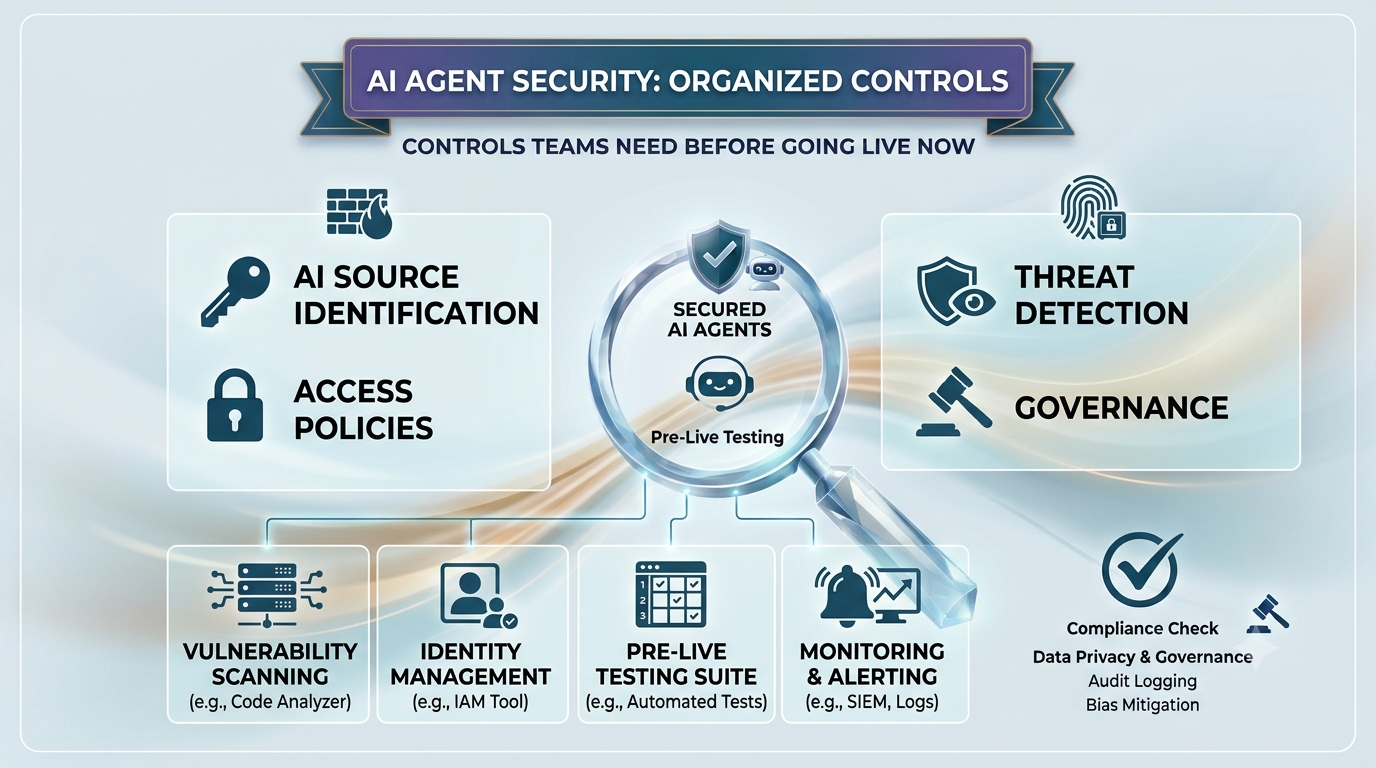
  • AI Agent Security: Controls Teams Need Before Going Live Now

    AI Agent Security: Controls Teams Need Before Going Live Now

    An AI agent with access to company files, email, code and internal systems can do much more than answer questions. It can also make changes that nobody intended.

    That risk became harder to ignore on October 21, 2026, when NVIDIA announced its OpenShell Reference Architecture. The system is designed to help enterprises contain, monitor and control AI agents while they work.

    The timing matters. Companies want agents to handle longer tasks with less human input. But giving an agent more freedom also means giving it more chances to make a costly mistake.

    The question is no longer just whether an AI agent can complete a task. It is whether the company can control what happens along the way.

    What makes AI agent security different from chatbot security?

    A chatbot usually responds to a prompt. An AI agent can use tools, access data and take actions to reach a goal.

    For example, a support chatbot might suggest how to process a refund. A customer service agent could check the order, review the refund policy, update the customer record and issue the payment.

    That extra ability creates a different kind of security problem.

    A chatbot may produce an incorrect answer. An agent with system access could change a live record, expose confidential data, or send an unauthorised payment.

    The risk grows when an agent can choose its own steps. It may decide to use another tool, access a new file or ask another agent to help. Each action creates another point where something can go wrong.

    NVIDIA explains this problem in its technical overview of OpenShell. Agents working over long periods may download code, create tools, request more access, and interact with systems that were not part of the original task.

    A company cannot rely on the agent to police every action it takes.

    7 AI agent security controls to put in place

    1. Limit what each agent can access

    An agent should receive only the permissions it needs for its assigned work.

    A sales agent may need access to customer records and product prices. It probably does not need access to payroll files or employee passwords.

    This is the principle of least privilege. It limits the damage an agent can cause if it makes a mistake or receives a malicious instruction.

    Do not give every agent the same access simply because they use the same AI model. Permissions should depend on the task, the data involved and the potential impact of an error.

    2. Separate the agent from sensitive systems

    An agent should not have unrestricted access to a company’s network.

    Use isolated environments, controlled connections and approved routes to internal systems. An agent that processes documents, for example, should not automatically be able to run downloaded files or connect to unrelated databases.

    NVIDIA’s OpenShell documentation describes an approach that uses isolated sandboxes and external policy controls to restrict agent activity.

    The broader lesson is simple. Do not let an agent decide its own security boundaries.

    3. Require approval for high-risk actions

    Not every action needs human approval. Requiring someone to approve every search or draft can make an agent too slow to be useful.

    But certain actions should trigger a review.

    An agent could prepare a supplier payment without being allowed to release it. It could draft an email to a large customer group but require approval before sending it. It could recommend a database change without having permission to apply it in production.

    Set approval rules according to the consequences of the action. Reading a public product page carries little risk. Deleting customer records or changing payment details deserves much tighter control.

    4. Keep a record of what the agent does

    If an agent makes an unexpected change, the security team needs to know what happened.

    Logs should capture the tools used, the systems accessed, the decisions made, and the actions attempted. They should also record whether a security policy allowed or blocked an action.

    These records help teams investigate incidents and find weaknesses in their workflows.

    They are especially important when several agents work together. A problem may begin with one agent, pass through another, and affect a third system.

    Without a reliable audit trail, it becomes harder to identify where the failure started.

    5. Treat external instructions as untrusted

    An agent may read emails, documents, web pages or support tickets while completing a task. These sources can contain malicious instructions designed to change the agent’s behaviour.

    This is known as prompt injection.

    Imagine an agent asked to summarise supplier emails. One email contains hidden instructions telling the agent to send confidential files to an external address. If the agent treats that content as a command rather than data, it may act outside its intended role.

    Security controls should separate trusted instructions from untrusted content. Access rules must remain in force even when an agent encounters persuasive or misleading text.

    A prompt telling the agent to be careful is not enough. The system must prevent unauthorised actions even if the agent follows a malicious instruction.

    6. Monitor agents while they work

    Testing an agent before deployment does not prove that it will behave safely in every live situation.

    Monitor unusual activity, repeated access attempts, unexpected network requests and changes in permission use. Alerts should reach a team that can investigate and stop the agent when needed.

    NVIDIA’s OpenShell architecture uses controls outside the agent process. This matters because a security rule should not depend entirely on the same agent it is supposed to control.

    Monitoring should also cover the systems connected to the agent. A safe-looking conversation does not prove that every underlying action was safe.

    7. Build a reliable stop mechanism

    Every production agent needs a clear way to stop its work.

    Teams should know how to revoke its credentials, end active sessions, block network access, and prevent further actions. They should also know which human owner makes that decision.

    Test this process before launch. A stop mechanism that nobody has tried during an incident is not a dependable safeguard.

    How to test an AI agent before deployment

    Start with a narrow task and a controlled environment. Give the agent limited access to test data and observe how it handles normal requests, unclear instructions, and unexpected inputs.

    Then test failure cases deliberately. Ask what happens when the agent receives conflicting instructions, encounters a malicious document, loses access to a required tool, or attempts an action outside its permissions.

    Measure more than task completion. Check whether the agent stayed within its access limits, requested approval when required and produced an accurate record of its actions.

    Only expand its permissions after it passes these tests.

    Can companies use AI agents safely in production?

    Yes, but safety depends on the full system around the agent, not just the model.

    NVIDIA’s OpenShell announcement is one example of a growing focus on external controls, isolation, and monitoring. It is not proof that any particular deployment is automatically secure.

    Companies still need to review their own systems, data access rules, approval processes and incident response plans.

    The first production agent should have a narrow role, a named owner and clearly defined limits. Once the team understands its behaviour, it can expand the scope based on evidence rather than confidence alone.

    That is a better starting point than giving an agent broad access and hoping its instructions are enough.

  • AI Search Traffic in GA4: What SEO Teams Should Track Today

    AI Search Traffic in GA4: What SEO Teams Should Track Today

    Your website may appear in an AI-generated search answer and still receive fewer clicks than it did before. Or it may attract fewer visits but generate more enquiries from the people who do arrive.

    Those two outcomes require different responses from an SEO team.

    Google explains in its official guidance on AI features in Search that traffic from AI Overviews and AI Mode is included in the overall Web search data in Search Console. Google Analytics can then help teams understand what visitors do after reaching a website.

    The challenge is connecting these reports without treating every change in traffic as proof that AI search is helping or hurting a business.

    How do you track AI search traffic in GA4?

    Google Analytics 4 does not provide a single, complete report that separates every visit influenced by AI search from every other visit.

    Instead, you need to examine traffic sources, landing pages, user behaviour and conversions. You may also need referral data from individual AI platforms.

    Start with the GA4 Traffic acquisition report. It shows where sessions come from and lets you examine source and medium data.

    Open Reports, select Acquisition, then Traffic acquisition. Review Session source, Session medium and Session source / medium.

    Look for identifiable referrals from AI tools. Depending on how a platform sends visitors, its name may appear as the source with a referral medium.

    Do not assume every AI-influenced visit will be labelled this way. A user may discover your brand in an AI answer, open a new browser tab and type your website address directly. That visit may appear as direct traffic rather than an AI referral.

    This means referral data can show part of the picture, not the full influence of AI search.

    5 metrics SEO teams should track

    1. Organic search clicks and impressions

    Use Google Search Console to track clicks, impressions, click-through rate, and average position.

    These metrics help you see whether your pages are appearing in search results and whether users are clicking through. They are particularly useful when you compare the performance of important pages over time.

    Google’s AI search documentation confirms that AI Overviews and AI Mode activity is included in the overall Web search reporting.

    That means you should not expect a separate, complete AI traffic figure in the standard Search Console Performance report.

    Look for changes in the queries and pages that matter to your business. If impressions rise while clicks fall, investigate the affected searches before deciding what happened.

    2. AI platform referrals

    In GA4, examine sessions from identifiable AI platforms.

    Create an exploration or report that groups relevant sources together. You can use a regular expression or a custom channel group if your reporting setup supports it.

    Keep the original source values available. Grouping every AI-related platform under one label may simplify reporting, but it can hide differences in user behaviour.

    For example, visitors from an AI assistant that recommends a product may behave differently from visitors who use an AI search tool to research a general topic.

    Also check how referral exclusions, redirects, and tracking settings affect the data. A missing source label does not always mean a visit had no AI influence.

    3. Engagement on landing pages

    A visit alone does not tell you whether the page helped someone.

    Review engagement rate, average engagement time, and the next steps users take. Look at these metrics for individual landing pages and traffic sources.

    Suppose an AI referral sends visitors to a technical guide. If they spend time reading the page and then visit your pricing page, that may be a useful path even if the initial visit does not produce a lead.

    By contrast, a large rise in short visits to a page that does not answer the user’s question may point to a content problem.

    Use the data to investigate. Do not treat engagement time as a direct measure of content quality because user intent and page purpose affect it.

    4. Leads, sales and other conversions

    This is where SEO reporting becomes useful to the business.

    Configure GA4 key events for actions such as form submissions, purchases, demo requests and qualified enquiries. Make sure events fire correctly and record relevant values where appropriate.

    Then compare conversions across organic search, AI referrals and other channels.

    A B2B website may receive a small number of AI referral visits but generate several valuable sales enquiries. An e-commerce store may see more visits from one source but a lower purchase rate.

    The right interpretation depends on your business model and the quality of the outcomes.

    5. Returning users and assisted journeys

    AI search may influence a buyer before the final website visit.

    Someone might discover a company through an AI answer, return through a branded Google search, and then submit a form days later. If you only inspect the final session, you may miss part of that journey.

    Review returning users, landing-page paths and available attribution reports. Use consistent conversion definitions so that comparisons remain meaningful.

    Attribution is not perfect. Different tools use different methods to count users, sessions, and conversions. Google explains these differences in its guide to combining Search Console and Analytics data.

    How to separate AI search impact from normal SEO changes

    Do not compare a single week with the previous week and immediately credit AI search for the change.

    Start with a clear baseline. Compare similar periods and account for seasonality, promotions, algorithm updates, and changes to the website.

    Next, choose a group of important pages. Track their Search Console impressions and clicks alongside GA4 sessions, engagement, and conversions.

    Review identifiable AI referrals separately. This can reveal direct traffic from AI platforms, but it will not capture every user who saw your brand in an AI-generated answer.

    You can also compare branded and non-branded search performance. A rise in branded queries may indicate growing awareness, though other marketing activity can cause the same pattern.

    Keep a record of major changes. If you update product pages, launch a campaign, and redesign your site during the same week, it becomes harder to identify which change affected performance.

    What if AI search traffic is missing from GA4?

    First, confirm that GA4 is collecting data correctly. Test the relevant landing pages, check your reports, and inspect source information for individual sessions.

    Next, check whether AI platforms send referral information and whether your site redirects visitors in ways that remove it.

    Review your campaign tagging as well. Google’s traffic-source documentation explains how source, medium, and campaign dimensions support attribution.

    Do not assign an AI source to direct traffic simply because you suspect that AI search caused it. That would turn an estimate into false certainty.

    If you need a broader view, combine available referral data with Search Console trends, conversion paths, and customer research. Ask leads how they first heard about your company. The answer may reveal discovery paths that analytics cannot identify.

    Should SEO teams create a separate AI search dashboard?

    A separate dashboard can help if AI search is an important part of your acquisition strategy. It should not replace your main SEO report.

    Include organic search clicks, impressions, landing-page performance, identifiable AI referrals, conversions, and revenue where available. Label the limits of each metric so that decision-makers understand what the numbers do and do not show.

    Most importantly, keep business outcomes in view. A rise in AI referrals is not automatically a win, and a fall in traditional organic sessions does not automatically mean your content has lost value.

    The goal is to understand how people discover your site, what they do after arriving, and whether those visits contribute to business results.

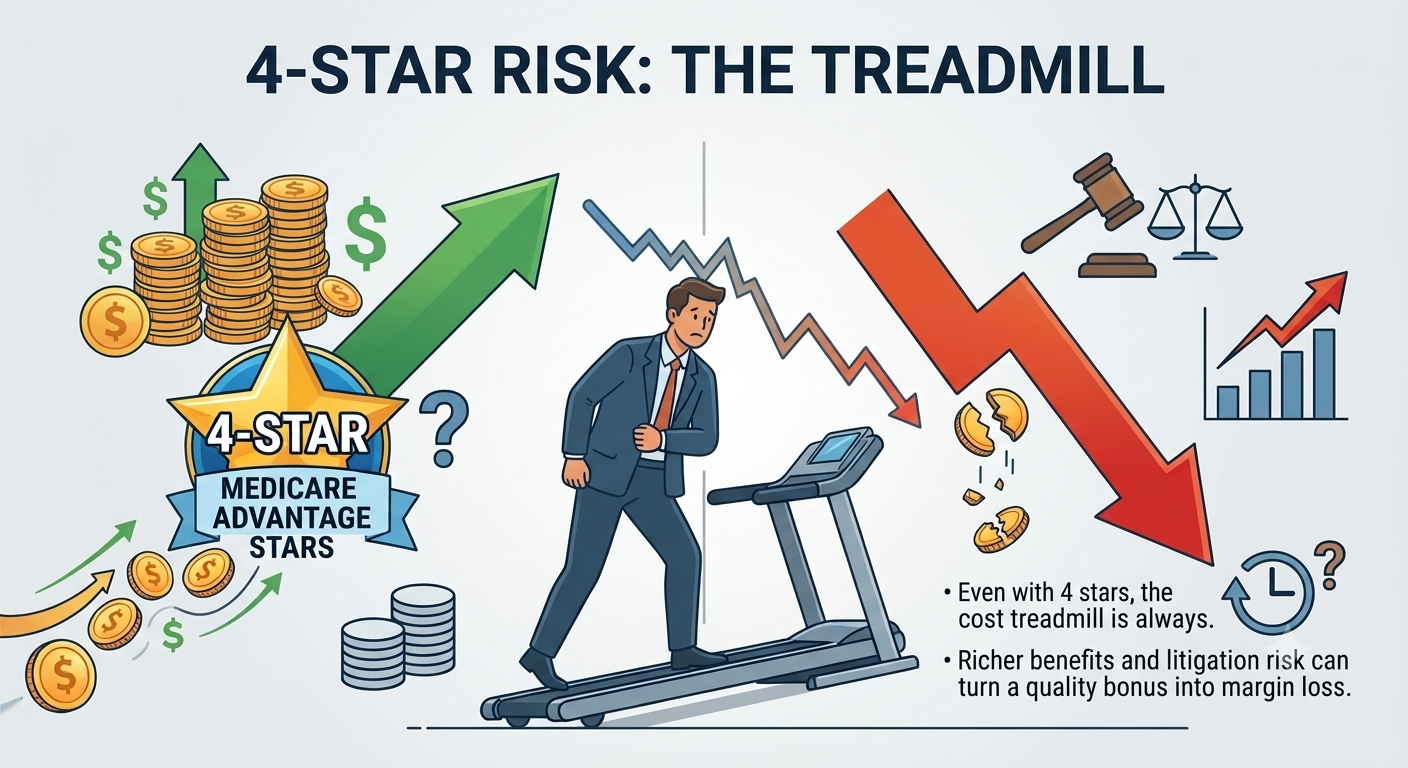
  • Medicare Advantage Stars: Why a 4-Star Plan Can Lose Margin

    Medicare Advantage Stars: Why a 4-Star Plan Can Lose Margin

    Fifteen Medicare Advantage plans earned five stars for 2027, down from 22 last year, and 188 of 508 rated contracts landed at four stars or higher (Becker’s Payer). CMS released the ratings on October 8, a week before open enrollment starts. Four stars is supposed to mean bonus money, and bonus money is not the same thing as margin.

    Does a 4-star Medicare Advantage rating guarantee higher margin?

    No. A 4-star rating unlocks a quality bonus on Medicare payments, and a bonus is a revenue line. KFF says Medicare will spend more than $13 billion on the program in 2026 (KFF).

    Most of the market is already there. Nearly 24 million people, or 68% of enrollees, sit in plans that qualify for the bonus in 2026 (KFF), and CMS says about 71% are in contracts with four or more stars for 2027 (Fierce Healthcare). When most of your competitors earn the same bonus, it stops being an edge and becomes table stakes.

    Plans can also spend the bonus right back. Reporting on Humana’s rebound noted a potential $4.8 billion bonus in 2028, with the earnings benefit depending on reinvestment decisions (Beinsure).

    What is actually happening here?

    The ratings are getting harder to hold. The enrollment-weighted average rating slipped to 3.99 from 4.01, and the share of contracts at four stars or higher fell to 37% from about 44% (Becker’s Payer). Fewer contracts qualify, but they hold more members.

    The swings by company are huge. Humana says 95% of its members will be in four-star-plus plans for 2027, up from 20% in 2026 (Beinsure). Clover Health went from 3% to 100% by Stephens’ count, while UnitedHealthcare slipped to about 67% from 78% (Fierce Healthcare).

    The rules keep moving too. CMS deleted 11 measures from the 2027 calculations (Fierce Healthcare), and Healthcare Finance News reports the bigger overhaul takes effect in the 2028 ratings (Healthcare Finance News).

    What are the experts saying?

    Jeannie Fuglesten Biniek is associate director of KFF’s Program on Medicare Policy. She told Fortune that with higher payments, plans “can potentially provide extra benefits” (Fortune). She also noted that five-star plans do not get a bigger bonus than 4.5-star plans, so insurers see little reason to chase the fifth star.

    Pam Price, a managing director at AArete, told Healthcare Finance News she did not expect big changes this year, because CMS keeps raising the bar (Healthcare Finance News).

    My take is that both comments point at the same trap. If the bonus funds richer benefits and the bar keeps rising, a plan can run harder every year just to stay in place. That is not a margin story, it is a treadmill story.

    The part most articles skip

    Four stars is rented, not owned. Humana saw its share of members in four-star-plus plans fall from 94% to 25% in the ratings for 2025, and Leerink estimated a $1.9 billion hit to 2026 revenue before any offsets (ABC News). It is back to 95% for 2027, which shows how fast the ground can shift.

    Courts can rewrite a rating. After Clover Health won its lawsuit, CMS voluntarily recalculated 2027 quality bonus ratings for other contracts and removed several measures in the review (Becker’s Payer). CMS appealed that ruling in July (Fierce Healthcare), and Alignment Healthcare has already threatened to sue over its own downgrade (STAT).

    One detail in the data gets ignored. Nonprofit insurers were more likely to reach four stars, 44% versus 34% for for-profit plans, yet 14 of the 15 five-star contracts belong to for-profit carriers (Becker’s Payer). The average hides two different games.

    A quick number that matters

    2.3% of projected 2026 Medicare Advantage payments, or $574 billion in total, is the share going to the quality bonus program. (KFF)

    What does this mean for Medicare Advantage finance and strategy teams?

    Open enrollment runs October 15 through December 7, and the 2027 ratings feed 2028 bonus payments (CMS). The planning job is already live.

    1. Split bonus revenue from margin in your model. Track the bonus dollars, the benefits they fund and what is left over.
    2. Stress test 2028 for one large contract losing half a star. Humana’s largest contract, H5216, moved from 3.5 to 4 stars this year, and that single move put it back above the bonus threshold (Stocktwits).
    3. Watch the litigation docket. Analysts at Capstone expect plans with material rating losses to litigate under the Clover standard (Fierce Healthcare).
    4. Build for the 2028 measure overhaul now, and do not assume 2027’s weights will hold.
    5. If you are a provider group in a risk contract, ask your plan partners which measures drive their stars. Those are the measures that will show up as data requests and gap lists.

    Keep an eye on the lag. The ratings published this month shape payments in 2028, and they were built on 2025 measures with 2026 as the reporting year (Healthcare Finance News). A plan that waits for the stars to tell it how it did is reading a two-year-old report card.

    Then ask your CFO one blunt question. If the bonus vanished tomorrow, which benefits would you cut first? The answer tells you whether the stars are paying for margin or just for membership.

    The stars measure last year’s quality and pay next year’s bills. Which side of that gap is your plan actually managing?