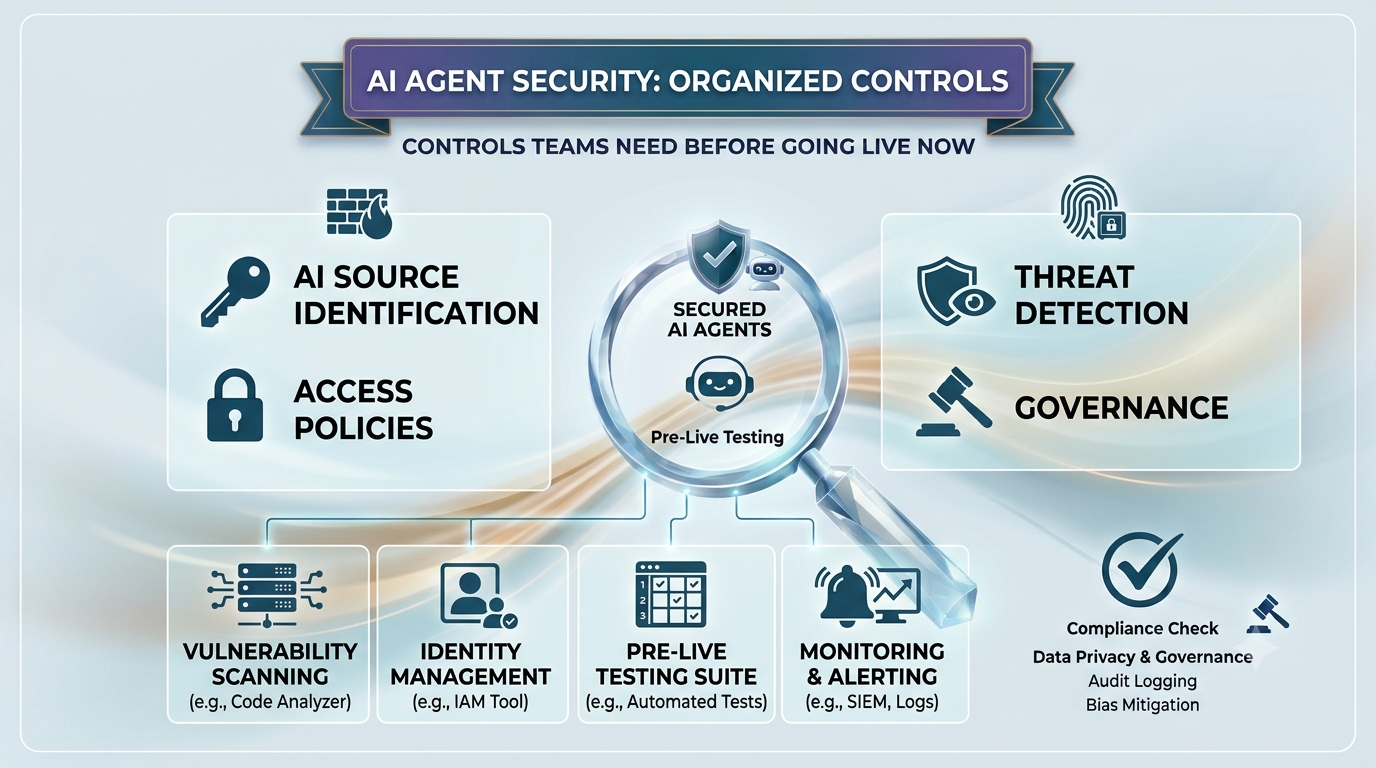
An AI agent with access to company files, email, code and internal systems can do much more than answer questions. It can also make changes that nobody intended.
That risk became harder to ignore on October 21, 2026, when NVIDIA announced its OpenShell Reference Architecture. The system is designed to help enterprises contain, monitor and control AI agents while they work.
The timing matters. Companies want agents to handle longer tasks with less human input. But giving an agent more freedom also means giving it more chances to make a costly mistake.
The question is no longer just whether an AI agent can complete a task. It is whether the company can control what happens along the way.
What makes AI agent security different from chatbot security?
A chatbot usually responds to a prompt. An AI agent can use tools, access data and take actions to reach a goal.
For example, a support chatbot might suggest how to process a refund. A customer service agent could check the order, review the refund policy, update the customer record and issue the payment.
That extra ability creates a different kind of security problem.
A chatbot may produce an incorrect answer. An agent with system access could change a live record, expose confidential data, or send an unauthorised payment.
The risk grows when an agent can choose its own steps. It may decide to use another tool, access a new file or ask another agent to help. Each action creates another point where something can go wrong.
NVIDIA explains this problem in its technical overview of OpenShell. Agents working over long periods may download code, create tools, request more access, and interact with systems that were not part of the original task.
A company cannot rely on the agent to police every action it takes.
7 AI agent security controls to put in place
1. Limit what each agent can access
An agent should receive only the permissions it needs for its assigned work.
A sales agent may need access to customer records and product prices. It probably does not need access to payroll files or employee passwords.
This is the principle of least privilege. It limits the damage an agent can cause if it makes a mistake or receives a malicious instruction.
Do not give every agent the same access simply because they use the same AI model. Permissions should depend on the task, the data involved and the potential impact of an error.
2. Separate the agent from sensitive systems
An agent should not have unrestricted access to a company’s network.
Use isolated environments, controlled connections and approved routes to internal systems. An agent that processes documents, for example, should not automatically be able to run downloaded files or connect to unrelated databases.
NVIDIA’s OpenShell documentation describes an approach that uses isolated sandboxes and external policy controls to restrict agent activity.
The broader lesson is simple. Do not let an agent decide its own security boundaries.
3. Require approval for high-risk actions
Not every action needs human approval. Requiring someone to approve every search or draft can make an agent too slow to be useful.
But certain actions should trigger a review.
An agent could prepare a supplier payment without being allowed to release it. It could draft an email to a large customer group but require approval before sending it. It could recommend a database change without having permission to apply it in production.
Set approval rules according to the consequences of the action. Reading a public product page carries little risk. Deleting customer records or changing payment details deserves much tighter control.
4. Keep a record of what the agent does
If an agent makes an unexpected change, the security team needs to know what happened.
Logs should capture the tools used, the systems accessed, the decisions made, and the actions attempted. They should also record whether a security policy allowed or blocked an action.
These records help teams investigate incidents and find weaknesses in their workflows.
They are especially important when several agents work together. A problem may begin with one agent, pass through another, and affect a third system.
Without a reliable audit trail, it becomes harder to identify where the failure started.
5. Treat external instructions as untrusted
An agent may read emails, documents, web pages or support tickets while completing a task. These sources can contain malicious instructions designed to change the agent’s behaviour.
This is known as prompt injection.
Imagine an agent asked to summarise supplier emails. One email contains hidden instructions telling the agent to send confidential files to an external address. If the agent treats that content as a command rather than data, it may act outside its intended role.
Security controls should separate trusted instructions from untrusted content. Access rules must remain in force even when an agent encounters persuasive or misleading text.
A prompt telling the agent to be careful is not enough. The system must prevent unauthorised actions even if the agent follows a malicious instruction.
6. Monitor agents while they work
Testing an agent before deployment does not prove that it will behave safely in every live situation.
Monitor unusual activity, repeated access attempts, unexpected network requests and changes in permission use. Alerts should reach a team that can investigate and stop the agent when needed.
NVIDIA’s OpenShell architecture uses controls outside the agent process. This matters because a security rule should not depend entirely on the same agent it is supposed to control.
Monitoring should also cover the systems connected to the agent. A safe-looking conversation does not prove that every underlying action was safe.
7. Build a reliable stop mechanism
Every production agent needs a clear way to stop its work.
Teams should know how to revoke its credentials, end active sessions, block network access, and prevent further actions. They should also know which human owner makes that decision.
Test this process before launch. A stop mechanism that nobody has tried during an incident is not a dependable safeguard.
How to test an AI agent before deployment
Start with a narrow task and a controlled environment. Give the agent limited access to test data and observe how it handles normal requests, unclear instructions, and unexpected inputs.
Then test failure cases deliberately. Ask what happens when the agent receives conflicting instructions, encounters a malicious document, loses access to a required tool, or attempts an action outside its permissions.
Measure more than task completion. Check whether the agent stayed within its access limits, requested approval when required and produced an accurate record of its actions.
Only expand its permissions after it passes these tests.
Can companies use AI agents safely in production?
Yes, but safety depends on the full system around the agent, not just the model.
NVIDIA’s OpenShell announcement is one example of a growing focus on external controls, isolation, and monitoring. It is not proof that any particular deployment is automatically secure.
Companies still need to review their own systems, data access rules, approval processes and incident response plans.
The first production agent should have a narrow role, a named owner and clearly defined limits. Once the team understands its behaviour, it can expand the scope based on evidence rather than confidence alone.
That is a better starting point than giving an agent broad access and hoping its instructions are enough.
Leave a Reply