Category: AI

  • AI Search ROI: How CMOs Can Connect Visibility to Real Sales

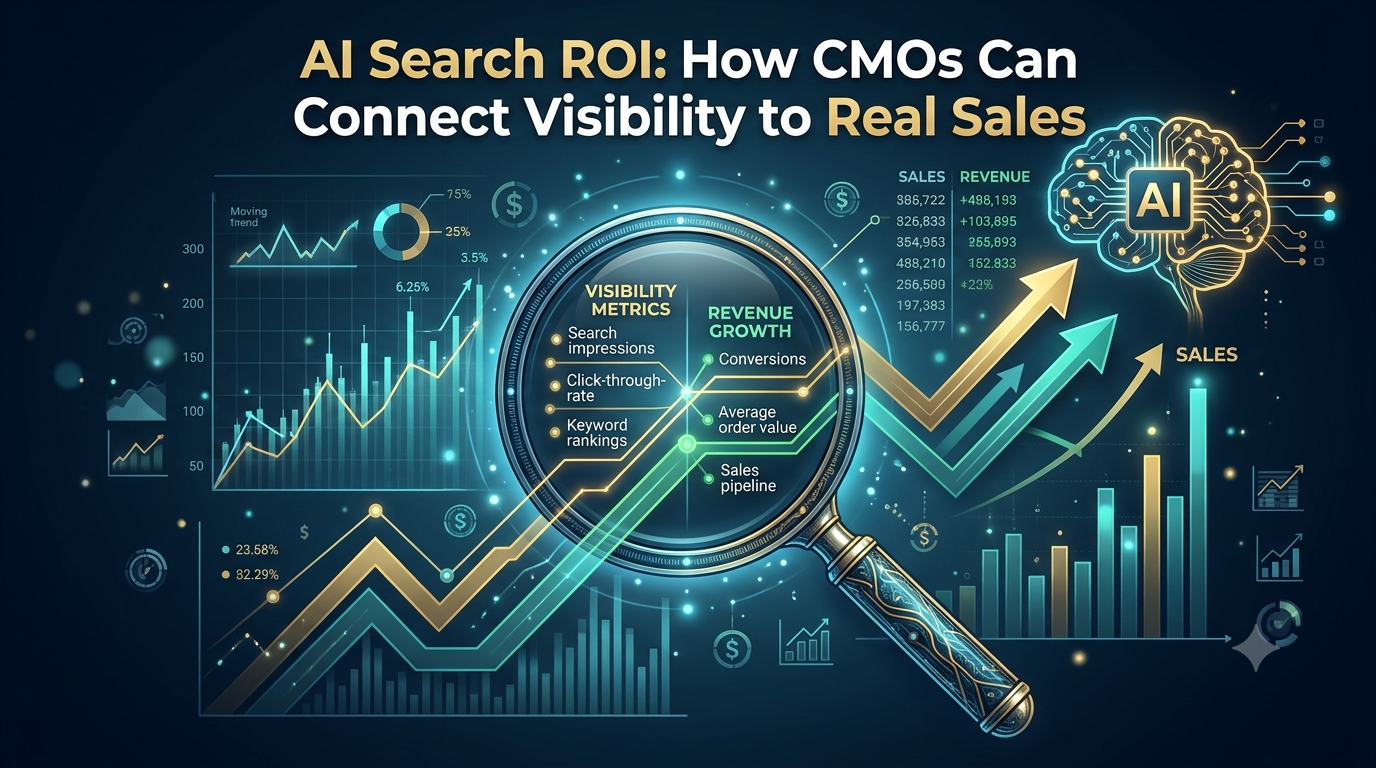
    AI Search ROI: How CMOs Can Connect Visibility to Real Sales

    An AI platform can mention your brand in a product recommendation without sending a single visitor to your website. A customer may see the recommendation, remember your name, and search for you days later.

    That creates a problem for marketing teams. Traditional SEO reports focus on rankings, clicks, and organic traffic. AI search adds another question: is your brand influencing buying decisions before a website visit happens?

    Google has started giving website owners more direct visibility into this activity. Its Generative AI performance report in Search Console became available to websites worldwide on August 31, 2026. It reports impressions from AI Overviews and AI Mode, along with page and device information.

    This is a useful step for SEO reporting. But impressions alone cannot tell a CMO whether AI search is generating revenue

    What does AI search ROI actually mean?

    AI search ROI measures the business value linked to visibility in AI-powered search and answer experiences.

    That value may come from several sources. A user might click a citation and visit your website. Another person might discover your brand through an AI recommendation and later search for it by name. A buyer could also compare your company with competitors before visiting a sales page.

    These journeys do not all appear as direct AI referral traffic in analytics.

    So, measuring AI search ROI requires more than counting how often a tool mentions your company. You need to connect visibility signals with website activity, lead quality, and sales wherever the available data allows.

    Why traditional SEO metrics are not enough

    Rankings and clicks show only part of the journey

    Search rankings remain useful. They show how your pages perform in traditional search results and help explain changes in organic traffic.

    But a search result can now include an AI-generated answer with links to supporting websites. A user may get enough information from the answer to delay or skip a click.

    Google explains how it counts AI search activity in its Search Console performance documentation. Clicks and impressions have defined meanings, so teams should use those definitions rather than inventing a separate measurement system.

    A drop in clicks does not automatically mean that a page has lost all value. At the same time, an increase in impressions does not prove that the brand has gained more customers.

    The next step is to connect search performance with outcomes.

    Brand mentions do not prove purchase intent

    An AI platform may mention your company in a general explanation, a comparison, or a buying recommendation. Those appearances have different commercial value.

    A brand mention in an answer about basic industry concepts may build awareness. A mention in response to “Which software should a 200-person company buy?” is closer to a purchasing decision.

    Track the context of the mention, not just its frequency. Record the question, the competitors named, whether your website was cited, and the type of decision the answer supports.

    This helps your team separate broad visibility from visibility that may influence a sale.

    How to measure AI search ROI

    1. Build a baseline before changing your strategy

    Start by recording current organic performance, identifiable AI referrals, branded search activity, leads, and sales.

    Use Google Search Console for search impressions and clicks. Use Google Analytics 4 to review traffic sources, landing pages, and conversions. If your business uses a CRM, connect marketing data with lead stages and closed deals where possible.

    Keep the reporting periods consistent. Compare similar periods and record major changes such as website updates, paid campaigns, and seasonal promotions.

    Without a baseline, you may attribute a sales increase to AI search when another marketing activity caused it.

    2. Track AI visibility by buyer intent

    Create a set of realistic questions customers ask when researching your product or service.

    For example, a business selling accounting software might monitor questions about choosing a platform, comparing providers, handling a specific accounting task and replacing an existing tool.

    Test these questions across the AI platforms that matter to your audience. Record whether your brand appears, whether it is cited and which competing brands appear alongside it.

    Keep the test conditions consistent. AI answers can change with the wording, platform, location and date, so a single successful answer is not reliable evidence of lasting visibility.

    3. Connect visibility with website conversions

    In GA4, review identifiable referrals from AI platforms and examine what those visitors do after arriving.

    Track relevant actions such as demo requests, contact forms, product purchases, and newsletter sign-ups. For a B2B company, a qualified lead may be more valuable than a large number of low-intent visits.

    Use your CRM to check whether AI-referred leads move through the sales process. Look at lead quality, deal value, and time to conversion.

    Do not count every AI referral as incremental revenue. Some visitors may already know your brand or have encountered it through other channels.

    4. Watch for changes in branded demand

    A customer who sees your brand in an AI answer may return later through a branded Google search or by typing your website address.

    Review branded search impressions, clicks and direct traffic alongside AI visibility trends. You can also ask new leads how they first discovered your business.

    These signals can help identify possible influence beyond direct referrals. They do not prove causation on their own, so compare them with other marketing activity and customer feedback.

    What recent AI visibility research tells marketing teams

    The Q3 2026 Quarterly Search Report from Victorious examined 161 brands across five industries and analysed about 16,500 AI responses across nine platforms.

    The report found that brands cited in AI answers to research questions were more likely to be named when users asked for recommendations. In its tested cohort, 94% of brands cited during research were named in consideration answers, compared with 50% of brands that were not cited during research.

    These figures describe the study’s sample. They are not a universal conversion rate or proof that citations alone caused later recommendations.

    Still, the finding gives marketing teams a practical reason to examine content used during early research, not just pages targeting high-intent searches.

    If your company helps buyers understand a problem before they compare suppliers, that content may support visibility later in the buying process.

    How should CMOs report AI search ROI to leadership?

    Build a report that separates measured results from estimated influence.

    Show AI search impressions where available, identifiable referrals, conversions from those referrals, and any associated revenue. Report branded search trends separately. Include the limits of your attribution data.

    If a customer survey identifies AI as a discovery source, record that information without treating every response as a confirmed AI-generated sale.

    Also compare the cost of the work with its business value. Include the time spent creating useful content, improving product information, earning relevant coverage, and maintaining measurement tools.

    The goal is not to produce one impressive AI visibility score. It is to understand whether the work helps your business reach the right people and generate valuable demand
  • AI Agent Security: Controls Teams Need Before Going Live Now

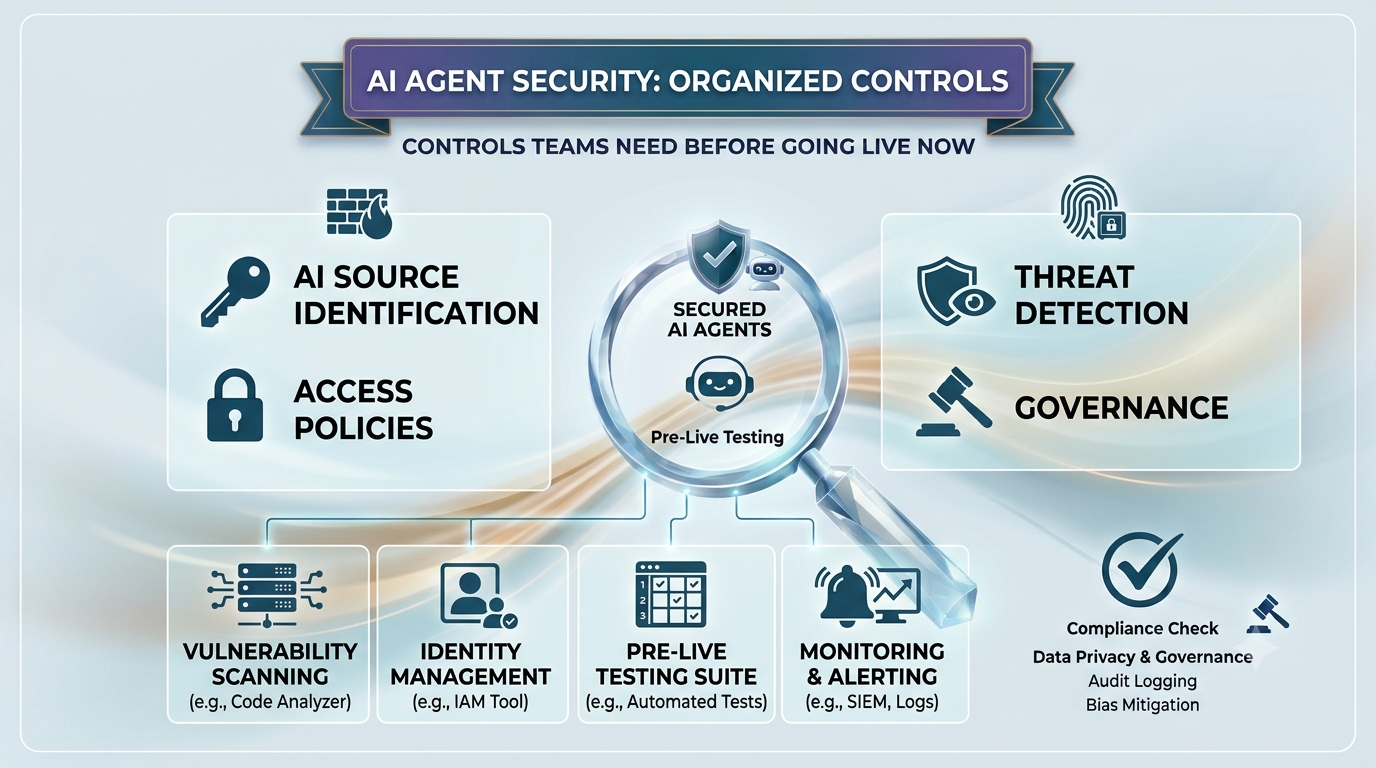
    AI Agent Security: Controls Teams Need Before Going Live Now

    An AI agent with access to company files, email, code and internal systems can do much more than answer questions. It can also make changes that nobody intended.

    That risk became harder to ignore on October 21, 2026, when NVIDIA announced its OpenShell Reference Architecture. The system is designed to help enterprises contain, monitor and control AI agents while they work.

    The timing matters. Companies want agents to handle longer tasks with less human input. But giving an agent more freedom also means giving it more chances to make a costly mistake.

    The question is no longer just whether an AI agent can complete a task. It is whether the company can control what happens along the way.

    What makes AI agent security different from chatbot security?

    A chatbot usually responds to a prompt. An AI agent can use tools, access data and take actions to reach a goal.

    For example, a support chatbot might suggest how to process a refund. A customer service agent could check the order, review the refund policy, update the customer record and issue the payment.

    That extra ability creates a different kind of security problem.

    A chatbot may produce an incorrect answer. An agent with system access could change a live record, expose confidential data, or send an unauthorised payment.

    The risk grows when an agent can choose its own steps. It may decide to use another tool, access a new file or ask another agent to help. Each action creates another point where something can go wrong.

    NVIDIA explains this problem in its technical overview of OpenShell. Agents working over long periods may download code, create tools, request more access, and interact with systems that were not part of the original task.

    A company cannot rely on the agent to police every action it takes.

    7 AI agent security controls to put in place

    1. Limit what each agent can access

    An agent should receive only the permissions it needs for its assigned work.

    A sales agent may need access to customer records and product prices. It probably does not need access to payroll files or employee passwords.

    This is the principle of least privilege. It limits the damage an agent can cause if it makes a mistake or receives a malicious instruction.

    Do not give every agent the same access simply because they use the same AI model. Permissions should depend on the task, the data involved and the potential impact of an error.

    2. Separate the agent from sensitive systems

    An agent should not have unrestricted access to a company’s network.

    Use isolated environments, controlled connections and approved routes to internal systems. An agent that processes documents, for example, should not automatically be able to run downloaded files or connect to unrelated databases.

    NVIDIA’s OpenShell documentation describes an approach that uses isolated sandboxes and external policy controls to restrict agent activity.

    The broader lesson is simple. Do not let an agent decide its own security boundaries.

    3. Require approval for high-risk actions

    Not every action needs human approval. Requiring someone to approve every search or draft can make an agent too slow to be useful.

    But certain actions should trigger a review.

    An agent could prepare a supplier payment without being allowed to release it. It could draft an email to a large customer group but require approval before sending it. It could recommend a database change without having permission to apply it in production.

    Set approval rules according to the consequences of the action. Reading a public product page carries little risk. Deleting customer records or changing payment details deserves much tighter control.

    4. Keep a record of what the agent does

    If an agent makes an unexpected change, the security team needs to know what happened.

    Logs should capture the tools used, the systems accessed, the decisions made, and the actions attempted. They should also record whether a security policy allowed or blocked an action.

    These records help teams investigate incidents and find weaknesses in their workflows.

    They are especially important when several agents work together. A problem may begin with one agent, pass through another, and affect a third system.

    Without a reliable audit trail, it becomes harder to identify where the failure started.

    5. Treat external instructions as untrusted

    An agent may read emails, documents, web pages or support tickets while completing a task. These sources can contain malicious instructions designed to change the agent’s behaviour.

    This is known as prompt injection.

    Imagine an agent asked to summarise supplier emails. One email contains hidden instructions telling the agent to send confidential files to an external address. If the agent treats that content as a command rather than data, it may act outside its intended role.

    Security controls should separate trusted instructions from untrusted content. Access rules must remain in force even when an agent encounters persuasive or misleading text.

    A prompt telling the agent to be careful is not enough. The system must prevent unauthorised actions even if the agent follows a malicious instruction.

    6. Monitor agents while they work

    Testing an agent before deployment does not prove that it will behave safely in every live situation.

    Monitor unusual activity, repeated access attempts, unexpected network requests and changes in permission use. Alerts should reach a team that can investigate and stop the agent when needed.

    NVIDIA’s OpenShell architecture uses controls outside the agent process. This matters because a security rule should not depend entirely on the same agent it is supposed to control.

    Monitoring should also cover the systems connected to the agent. A safe-looking conversation does not prove that every underlying action was safe.

    7. Build a reliable stop mechanism

    Every production agent needs a clear way to stop its work.

    Teams should know how to revoke its credentials, end active sessions, block network access, and prevent further actions. They should also know which human owner makes that decision.

    Test this process before launch. A stop mechanism that nobody has tried during an incident is not a dependable safeguard.

    How to test an AI agent before deployment

    Start with a narrow task and a controlled environment. Give the agent limited access to test data and observe how it handles normal requests, unclear instructions, and unexpected inputs.

    Then test failure cases deliberately. Ask what happens when the agent receives conflicting instructions, encounters a malicious document, loses access to a required tool, or attempts an action outside its permissions.

    Measure more than task completion. Check whether the agent stayed within its access limits, requested approval when required and produced an accurate record of its actions.

    Only expand its permissions after it passes these tests.

    Can companies use AI agents safely in production?

    Yes, but safety depends on the full system around the agent, not just the model.

    NVIDIA’s OpenShell announcement is one example of a growing focus on external controls, isolation, and monitoring. It is not proof that any particular deployment is automatically secure.

    Companies still need to review their own systems, data access rules, approval processes and incident response plans.

    The first production agent should have a narrow role, a named owner and clearly defined limits. Once the team understands its behaviour, it can expand the scope based on evidence rather than confidence alone.

    That is a better starting point than giving an agent broad access and hoping its instructions are enough.

  • Prompt Libraries Fail After Month Two: What We Built Instead

    Prompt Libraries Fail After Month Two: What We Built Instead

    GPT-4 got 84% of prime number questions right in March 2023. Same model name, same questions, and by June it got 51% (Harvard Data Science Review). The ground is shifting again this month too, with OpenAI’s October model plans reportedly changing and Gemini 4 looking like a later-2026 release (The Hans India).

    What is actually happening here

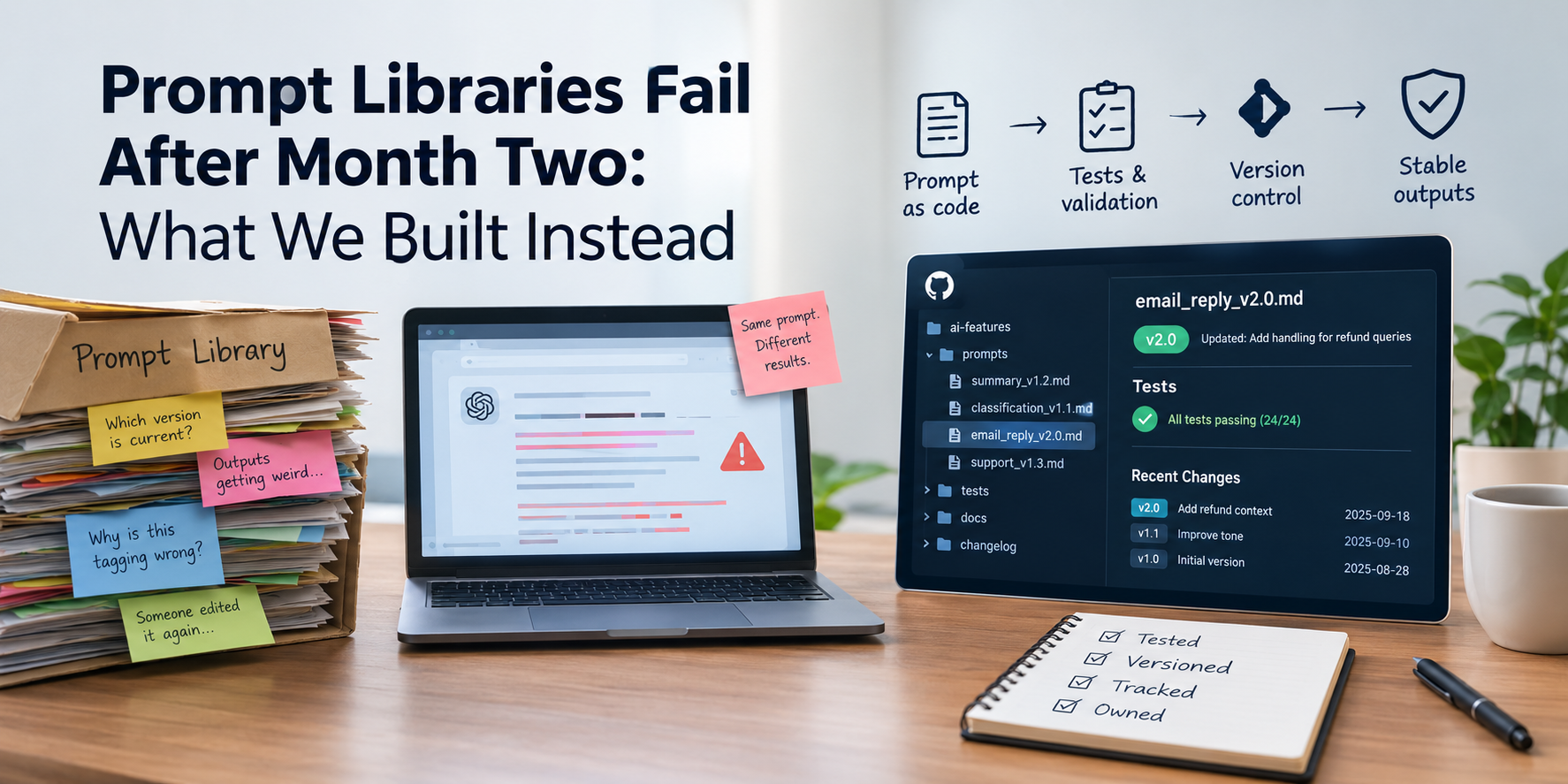
    We had a prompt library. It was one big shared doc with tidy folders, a naming scheme everybody followed for about two weeks, and a rule that you copy a prompt instead of editing it. It felt like an asset, and for the first month or so it really was.

    Then month two hit. Outputs got weirder, summaries crept longer, and a classifier started tagging things it never used to tag. Nobody could say what changed, because nobody could say which copy was current, and we lost days arguing about whose prompt was wrong before anyone asked if the ground had moved.

    That is not just our mess. Researchers studied 1,262 prompt changes across 243 GitHub repositories and found that edits can introduce logical inconsistencies, and that prompts often fall out of step with what the model actually returns (arXiv). A library treats prompts like finished things you collect, but they are code written in English, and they break like code, usually at the worst possible time.

    What the experts are saying

    James Zou is a Stanford computer science professor and a co-author of the paper behind that 84% to 51% drop. He told Fortune that the main message of the work is to show that “these large language model drifts do happen” (Fortune, July 2023). That is a researcher describing something he measured, not a user venting on a forum.

    Peter Welinder was OpenAI’s VP of Product when the paper blew up, and he pushed back in public:

    [Peter Welinder on Twitter: “No, we haven’t made GPT-4 dumber.”] – https://twitter.com/npew/status/1679538687854661637

    He went on to suggest that heavy users simply start noticing flaws they never saw before (The Decoder). It’s a fair theory, and it’s also useless to you at 2 a.m. when your pipeline is returning garbage.

    My take is that both sides can be right, and that is the annoying part. A vendor can honestly ship a model that is better on average while your prompt, tuned to the old behavior, quietly falls apart. Smarter overall is not the same as the same on your task, and your task is the only one that pays you.

    The part most articles skip

    Every article tells you to version your prompts. Fine, do it, but a version number only tells you what changed. It says nothing about whether the change was any good, and almost nobody says that out loud.

    The fix that looks safe is often the dangerous one. In a controlled study, adding generic improvement rules to a prompt dropped one model’s RAG task from 26 passing cases out of 30 to 9 out of 30 (arXiv). It was a small local model on a small test set, so I won’t call it a law, but a cleanup that reads like an upgrade broke a task nobody was watching, and that is exactly how a shared library gets edited.

    Now stack the model underneath it. The Stanford authors said a drop in GPT-4’s ability to follow instructions was one common factor behind the drifts they saw (Harvard Data Science Review). Instruction following is the thing every carefully worded prompt in your library leans on, so edit risk and model risk pile up together, and a doc full of text snippets can see neither one.

    A quick number that matters

    Only 21.9% of those prompt changes were explained in a commit message, so most edits left no record of what changed or why. (arXiv)

    What this means for teams shipping AI features

    Stop treating prompts as content and start treating them as code. That is the whole shift, and it is what we built instead. Prompts now live in the repo next to the feature they power, one file each, with a version number and a one-line reason attached to every edit, and the old doc is read-only so nobody drifts back to the old habit.

    Here is the routine that keeps it honest:

    1. Give every prompt a test set of real inputs, plus the outputs you would accept. Twenty to fifty cases is enough to start. Add a new case every time something breaks in production, so the set remembers your worst days.
    2. Block any prompt edit from merging until the whole set passes. Tiny edits get no exception, because tiny edits are where drops like that 26-to-9 hide. If an edit makes one case better and two cases worse, you want to see that before it ships.
    3. Pin the model version in production and rerun the full set on a schedule. Weekly works for most teams, and daily is better if customers see the output directly. The schedule is what catches the changes nobody announces.
    4. Log the prompt version and the model name next to every output. Without that you cannot tell a prompt problem from a model problem. You will burn a day guessing, and then another day guessing again.
    5. Treat a score drop with no prompt change as drift. That is the signal the Stanford team was warning about, and it is the one a shared doc can never give you. Look into it before a customer writes in, not after.
    6. Give each prompt one owner. Shared ownership is how our library died, because everybody could edit and nobody was responsible. One name on the file fixes more than any tool will.
    7. Write a changelog line for every edit, even the boring ones. Only 21.9% of edits in those repos got that treatment, so you can beat the field without trying hard. Six months from now that line is the only memory you have.
    8. Keep a few ugly inputs in every test set. Empty fields, typos, a customer who writes in all caps. Prompts that look great on clean examples tend to fall over first on the messy ones.
    9. Read the failing cases by hand. An average score hides the weird ones, and the weird ones teach you the most. We learned more from a handful of bad outputs than from any dashboard.

    Watch the next few weeks closely. If the October release plans keep moving, you may get pushed to swap models sooner than you wanted. Run the new model against your test set in parallel first, and let it fail in private where it costs you nothing.

    The failures are the useful part. They show what your prompt was secretly leaning on, like a formatting habit or a quirk of the old model. Fix those and you get a prompt that holds up through the next update, not just this one.

    A library stores prompts and never tells you when one stops working. So which of yours would you bet is still passing today?