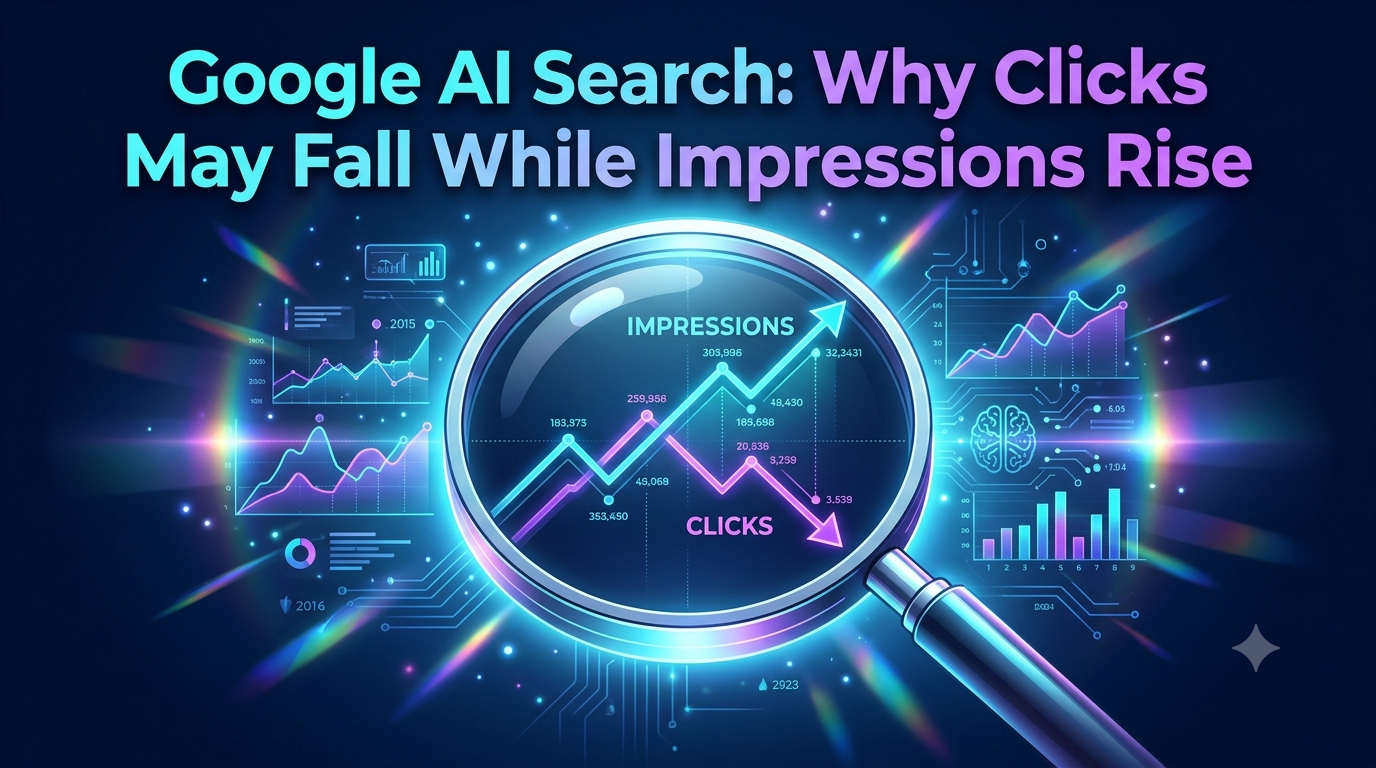
Your Google Search Console report shows more impressions than last month, but organic clicks are down. The pages still appear in search results, so what changed?
One possibility is that users are seeing more information directly in Google Search before deciding whether to visit a website.
Google’s AI Overviews and AI Mode provide AI-generated answers with links to supporting sources. According to Google’s official Search Console documentation, impressions and clicks in these features follow defined reporting rules. An AI Overview can occupy one position in search results, with its links assigned that position.
This matters because traditional SEO metrics can become harder to interpret when the search experience changes.
A rise in impressions alongside falling clicks does not prove that AI Overviews caused the decline. It gives you a reason to investigate the queries, pages and search features involved.
What do impressions and clicks mean in Google Search Console?
An impression records when your site appears in a qualifying search result. A click records when a user selects a result that takes them to your website.
Click-through rate, or CTR, is the share of impressions that produce clicks.
For example, if a page receives 1,000 impressions and 50 clicks, its CTR is 5%.
If impressions rise to 1,500 while clicks remain at 50, CTR falls to about 3.3%. The page is appearing more often, but the additional visibility is not producing more visits.
That can happen for several reasons. Your page may appear for broader queries, move to a lower position, face stronger competition or appear alongside search features that answer part of the user’s question.
The figures alone do not tell you which explanation is correct.
Why can Google AI Search affect organic CTR?
Users may get part of the answer on the results page
A person searching for a simple definition may get enough information from an AI-generated answer to decide not to click through to another website.
For more complex questions, the user may still visit a source to check details, compare options or complete a task.
The impact depends on the query. A search for a quick fact has a different purpose from a search for a specific product, service or technical solution.
Do not assume that every query with an AI Overview will lose clicks. Check your own data before deciding how to respond.
Your page may appear for more queries
An increase in impressions can also happen when a page starts appearing for additional search terms.
Some of those queries may be closely related to the page’s purpose. Others may be broader or less likely to generate a visit.
Open Search Console and compare query data for the periods before and after the change. Look at which queries gained impressions and whether their clicks, positions, and CTR changed.
This helps you distinguish broader visibility from a decline affecting your most valuable searches.
Average position can hide important changes
Search Console’s average position is not a fixed ranking for every user and query. It aggregates positions across the impressions included in the report.
A page may gain impressions for additional queries while losing ground on its most valuable terms. The overall average can hide that difference.
Review important queries separately. Compare the pages and search terms that generate leads or sales rather than relying on one site-wide position figure.
How to diagnose falling clicks in Search Console
1. Compare equivalent periods
Start with a comparison that accounts for seasonality where possible. A retail site may have very different search behaviour during a holiday period than during a quieter month.
Use the Performance report to compare clicks, impressions, CTR, and average position. Keep the search type consistent when examining changes.
Avoid drawing conclusions from a few days of data unless there is a specific event to investigate.
2. Find the pages losing clicks
Open the Pages view and identify URLs with a meaningful decline in clicks.
Then examine the queries associated with each page. Check whether impressions increased, whether CTR fell, and whether the average position changed.
This reveals whether the problem affects a handful of important pages or a wider section of the website.
3. Check the search feature and query intent
Google’s Generative AI performance report provides impressions from AI Overviews and AI Mode for eligible websites.
Use it alongside the standard Performance report to understand where your site appears in Google’s generative AI search features.
If the report is not available, Google says a site may not have enough impressions in those features. Do not interpret a missing report as proof that your site never appears in AI search.
Also check whether the affected queries are informational, commercial, or transactional. A page that answers a basic question may need a different approach from a product page designed to help someone buy.
4. Check for technical and content problems
Before blaming AI search, check the usual causes of traffic loss.
Review indexing, canonical tags, page availability, internal links, and recent website changes. Look for outdated content, broken pages, or changes to titles that may affect how users understand the result.
Check competitors too. A rival may have published a better comparison, updated its product information, or improved the page that now appears above yours.
A change in CTR is a symptom, not a diagnosis.
Should you rewrite pages with falling CTR?
Not automatically.
If a page is still relevant and its impressions are growing, rewriting it without understanding the query mix may make things worse.
Start by checking what searchers need. If the page answers the query clearly but users can get the same information directly from an AI answer, consider what additional value the page can offer.
That may mean a detailed comparison, a calculator, original data, a worked example or information that cannot be reduced to a short summary.
For a product page, it may mean clearer specifications, compatibility details, pricing or delivery information.
For an informational article, it may mean practical instructions, original research or a more useful explanation of a difficult point.
Google’s guidance on AI features in Search continues to point website owners towards established SEO practices. There is no separate shortcut that guarantees inclusion in an AI-generated answer.
How to report falling clicks to management
Explain what changed, which pages were affected and what you have verified.
Separate measured facts from possible explanations. For example, you can report that impressions rose, clicks fell, and CTR declined for a group of queries. If your data does not establish that AI Overviews caused the decline, say so.
Then outline the next steps. These may include examining AI search impressions, reviewing query intent, checking technical issues, and improving pages that no longer offer enough value.
The objective is to understand the source of the decline before changing the content strategy.